
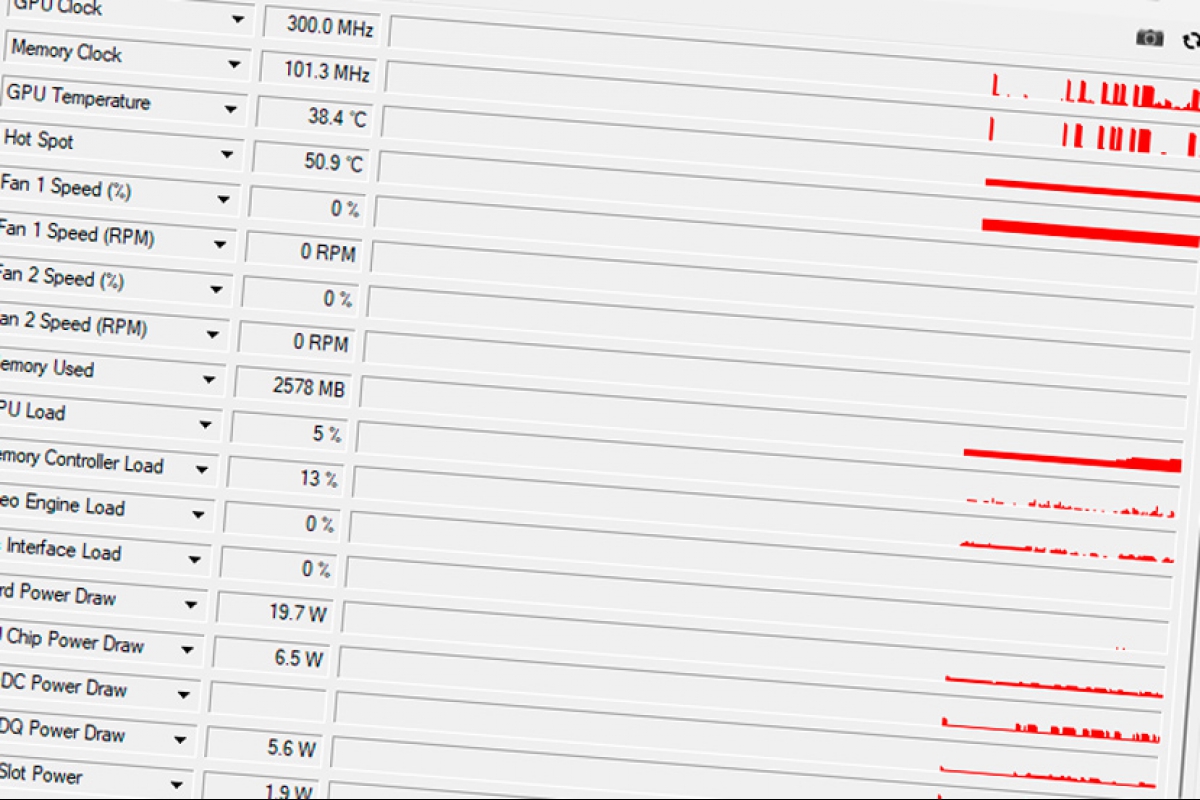
GPU-Z is updated to once again add measurement in the hot spot of NVIDIA RTX 50 GPUs among other new features
The popular graphics card monitoring software, GPU-Z, has been updated to a new version. As the main novelty, this software also adds reading the hot spot of NVIDIA GPUsa feature that other similar programs had already introduced on the market. In addition to this, the new version 2.71.0 It includes many other new features such as temperature reading by memory chip in modern graphics cards.
GPU-Z 2.71.0 recovers the Hot Spot reading on the NVIDIA RTX 50
The popular TechPowerUP software has been updated to version 2.71.0and is now able to read the temperature of the hot spot of NVIDIA RTX 50 Series GPUs. An option that will offer the temperature of the hottest point of the GPU. An option that was already available, but NVIDIA decided to eliminate access to this data and was subsequently removed from GPU-Z, it seems that with this new version the developers have found a reliable way to access this data.
GPU-Z allows you to check the temperature of each memory chip
Another novelty is the reading temperature of memory chips on graphics cardsa reading independently instead of offering an average of the whole. This will allow you to identify if any of the modules have a higher temperature than the rest, which may be a sign of a problem with the cooling or even with the memory module itself.
More information for overclockers
GPU-Z has also taken the opportunity to offer more information for overclockers within the Advanced tab. Here you will find useful information for those who want to get the most out of their graphics card, with detailed information on frequencies and other data of interest to these users.
In addition to these new features, it has also been added compatibility with new hardwaresuch as the NVIDIA RTX 5060 with the GB205 GPU or the Steam Machine GPU among others.
You can now download this new version To access all these new features and compatibility with the new hardware, we leave you the list of changes below.
News and improvements
- Added a Hot Spot temperature sensor for the GeForce RTX 50as well as displaying the temperature of the hottest memory chip. The pop-up menu allows you to check the temperature of all memory chips.
- New information from overclocking for NVIDIA GPU in the advanced tab, where the modified frequencies are displayed, including the status of XBAR, SYS, Video Clock and Boost Lock.
- Frequency reading is incorporated SYS, L2 and Video Clock of NVIDIA GPUs. These readings can be activated from the sensor settings and are disabled by default.
- New sensor to show the bandwidth used by PCI Express interface of NVIDIA GPUs, expressed in GB/s.
- Improved the Sensors tab interface: When a sensor is not registered to a file, your dropdown arrow appears disabled.
Corrections
- Corrected the number of NVIDIA GP102 transistors.
- Fixed memory detection LPDDR5X on Intel Meteor Lake and Arrow Lake.
- Fixed memory frequency LPDDR5 on Intel Alder Lake.
- Corrected the information of the memory bandwidth on some DDR5 systems.
- Fixed unit count Qualcomm Adreno 726.
New processors and GPUs supported
- NVIDIA: RTX 5060 (GB205), RTX 4070 10GB, RTX PRO 4500 Blackwell Server, H100 PCIe, Tesla V100-SXM2 16GB and P102-101.
- AMD: Steam Machine GPU and Radeon PRO V710 (second variant).
- Intel: Panther Lake, Lunar Lake, Arrow Lake H (285H, 265H, 255H, 235H and 225H), RPL-H Refresh (240H and 210H) and Twin Lake (N355, N350, N250 and N150).
- Qualcomm: Snapdragon X2-90, X2-85 and X2-45.
