
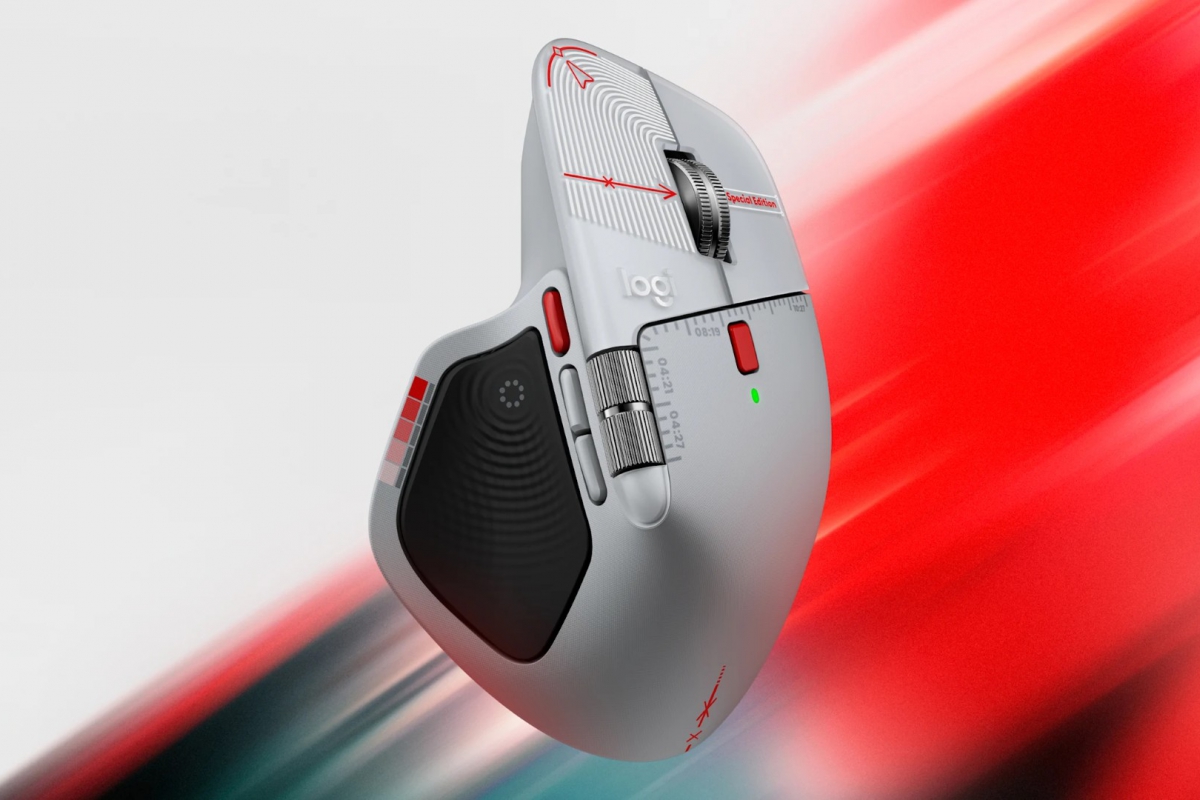
Logitech presents the MX Master 4 Creator Edition, a mouse dedicated to content creators
Logitech has its mouse MX Master 4focused on professionals who spend a lot of time in front of their PC with the mouse in their hand. An ergonomic design, with buttons and functions that can make your day-to-day work easier and more comfortable. To focus on the demands of creatives who use this mouse, Logitech has released a version for content creators of its MX Master 4.
Logitech MX Master 4 Creator Edition: a special edition for content creators
Thus, the manufacturer has presented the Logitech MX Master 4 Creator Editiona limited edition that is inspired by content creators and audiovisual editing. The mouse has the characteristics of the well-known MX Master 4, but details have been added that many users in this industry will immediately recognize. The special edition is now available through the Logitech online store and some authorized resellers of the brand.
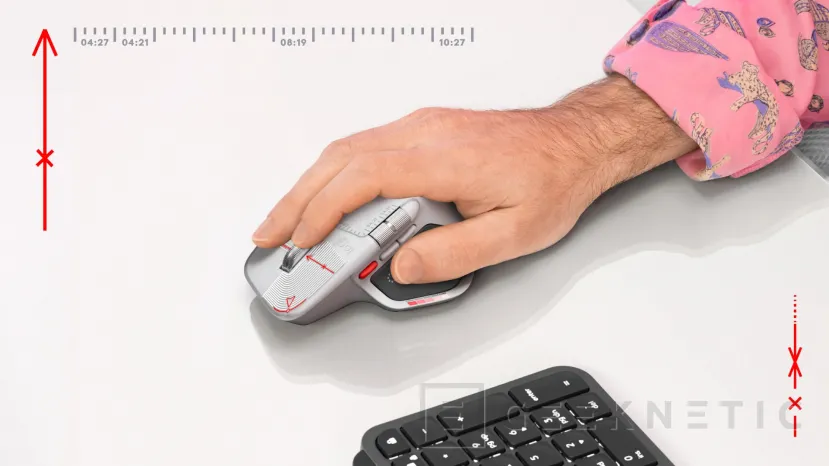
Logitech has added different elements inspired by the usual tools used by users. content creators, graphic and audiovisual design professionals. It includes color calibration scales, the usual alignment marks and composition grids. The details can be seen directly on the casing and buttons of this model, where you can also find references to notable dates within this world of creation and audiovisuals.
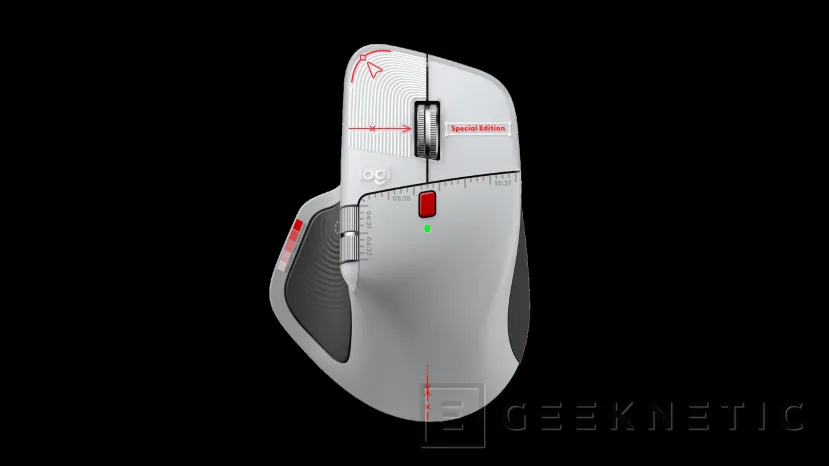
Details inspired by graphic design and photography
The dates are drawn on the mouse as a timeline, where you specify 04:21 as World Creativity Day, 04:27 as World Design Day and 08:19 as World Photography Day.
This special and limited edition does not leave behind the features that were introduced with the MX Master 4where we can highlight:
- Haptic feedback by vibration to facilitate interaction with the PC, which will be offered when performing different actions such as adjusting sliders or retouching images.
- Direct access to tools and other options that you can customize, with the button Action Ring to open your favorite application with a single click, run macros or even open the color picker.
- Movement with MagSpeed wheelwith up to 1,000 lines per second and stop precisely at the exact pixel.
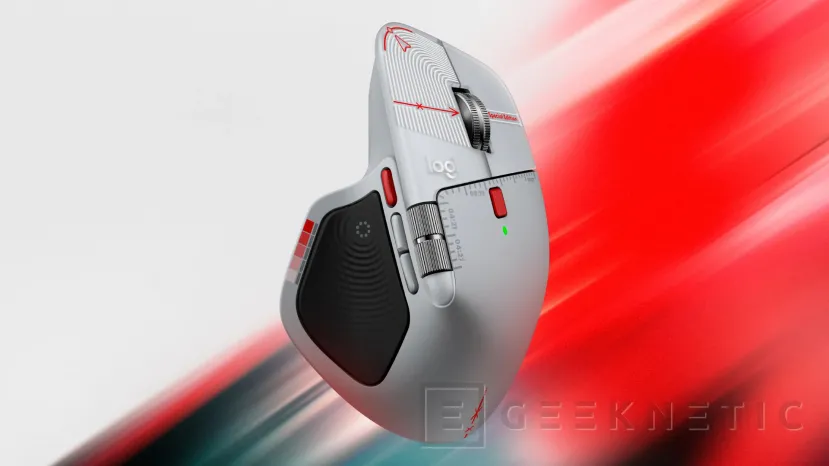
Price and availability of the Logitech MX Master 4 Creator Edition
Now you can get your new mouse Logitech MX Master 4 Creator Edition for 129.99 euros. These are its complete features.
Dimensions and weight
- Height: 128.15mm.
- Width: 88.35 mm.
- Depth: 50.8mm.
- Weight: 150g.
Sensor and tracking
- Sensor technology: High-precision Darkfield.
- Nominal value: 1,000 DPI.
- Adjustable resolution: from 200 to 8,000 DPI.
- Sensitivity adjustment in 50 DPI increments.
Buttons and controls
- Number of buttons: 8.
- Gesture button: yes
- MagSpeed scroll wheel with smart shifting.
- Horizontal scrolling: yes.
- Thumb wheel: Yes, it also allows horizontal scrolling.
Features and customization
- Customization app: Logi Options+ and basic Tune support.
- Haptic feedback supports Options+ features such as Actions Ring, Smart Actions and gestures.
- Haptic support for Adobe Photoshop, Adobe Lightroom Desktop, Zoom, and Adobe Premiere Pro.
Battery
- Type: 650 mAh rechargeable battery.
- Autonomy: up to 70 days.
Connectivity
- Connection type: wireless.
- Wireless technology: Bluetooth Low Energy (BLE).
- Bluetooth version: 5.1.
- Wireless range: up to 10 meters.
- Support for USB-C and USB-A receivers via Logi Bolt.
System requirements and compatibility
-Bluetooth:
- Windows 11 or later.
- macOS 13 or later.
- Linux.
- ChromeOS and Googlebook.
- iPadOS 15 or later.
- Android 12 or later.
- Requires Bluetooth Low Energy.
– Logi Bolt USB Receiver:
- USB-C or USB-A port.
- Windows 10, Windows 11 or later.
- macOS 13 or later.
- Linux.
- ChromeOS and Googlebook.
- Basic functions are supported without software on systems other than Windows and macOS.
- Customization using Logi Options+ is available for recent versions of Windows and macOS.
Warranty
– Two-year limited hardware warranty.
