
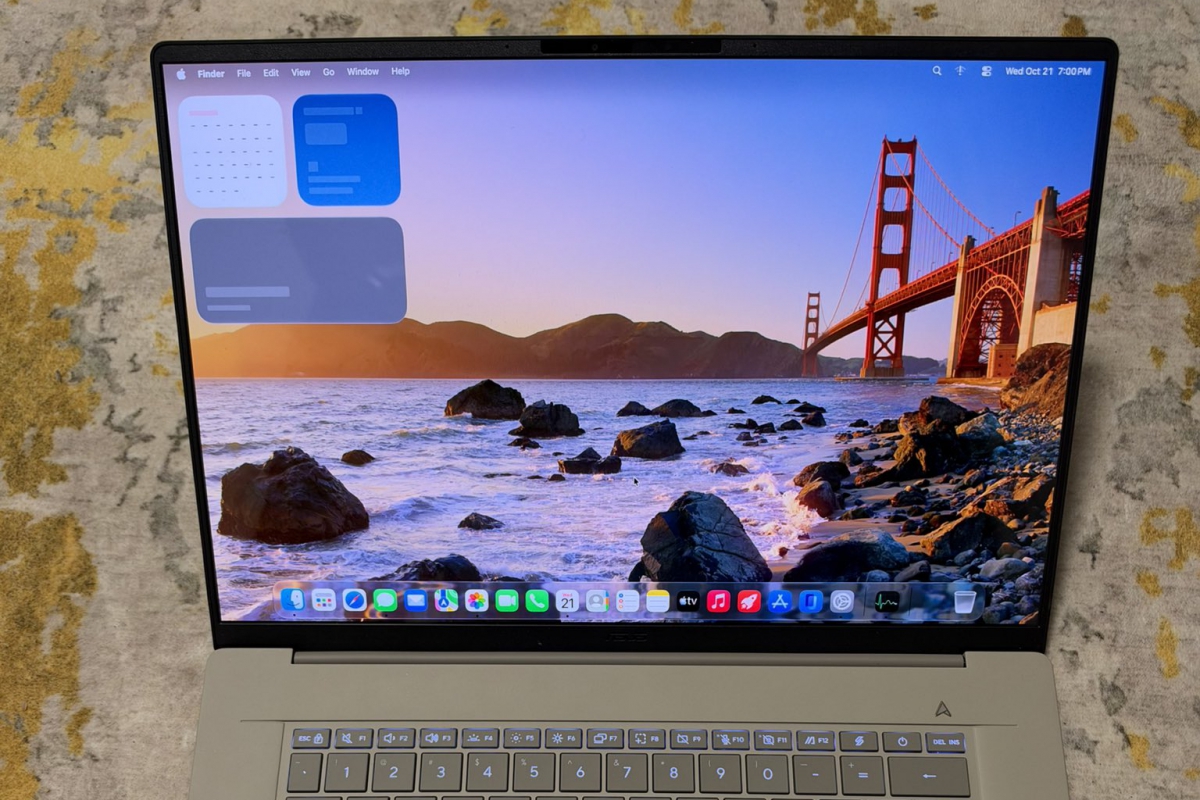
The project that allows you to install macOS 27 on a laptop with Snapdragon is now available on GitHub, but it is still in the experimental phase
Just yesterday we told you how a developer had managed to install macOS 27 on an ASUS laptop with processor Snapdragon X2 Elite Extreme. Just one day later the project is now available for download as a repository on GitHub. Now you can try it yourself (if you dare) thanks to the public project Snapintoshalthough it is still in the experimental phase.
Snapintosh allows you to install macOS 27 on laptops with Snapdragon
The repository is available at GitHuband has the necessary tools to install the latest version of macOS Golden Gate on laptops with these processors. In the repository you will also find the documentation with the steps to follow to carry out this installation yourself.
Since the Macs have Arm architecture and these Snapdragons too, Snapintosh uses an ARM64 compatibility layer which is based on the EL2 hypervisor. This allows Apple’s macOS kernel to run, while adapting the hardware and memory requirements to the Snapdragon processor.
What works and what limitations does this installation have?
The developer has also managed to adapt the Metal drivers adapted for the Adreno X2-90 GPUallowing the operating system to display graphics with hardware acceleration. Miguel C has also commented that the NVMe storage, keyboard and even trackpad gestures they work correctly.
But it still has its limitations, far from being a functional installation as if it were a Mac. At the moment it is only compatible with this laptop model and with this specific CPU Snapdragon X2E-96-100and can currently only use six CPU cores virtually. The screen also has its limitations, even though it works with a resolution of 2,880 x 1,800the refresh rate is reduced to 60Hz.
The Wi-Fi connectivity remains to be adjusted, but the audio, cameras, Bluetooth, system sleep, and external screens do not work. Another complication is that you will also need a Mac with macOS 27 to install the system, connecting both laptops via USB-C, with the Mac itself being the one that will prepare the PC for the installation of the operating system. An operation that must be repeated every time you restart or turn off the laptop.
An experimental project that still has a way to go
As we see, it is a project in the experimental phase, as we have defined it previously. There is still a long way to go if Miguel C wants macOS to run smoothly on his ASUS laptop. Hopefully with the help of the community we can advance quickly and even extend these capabilities to other Snapdragon processors.
