
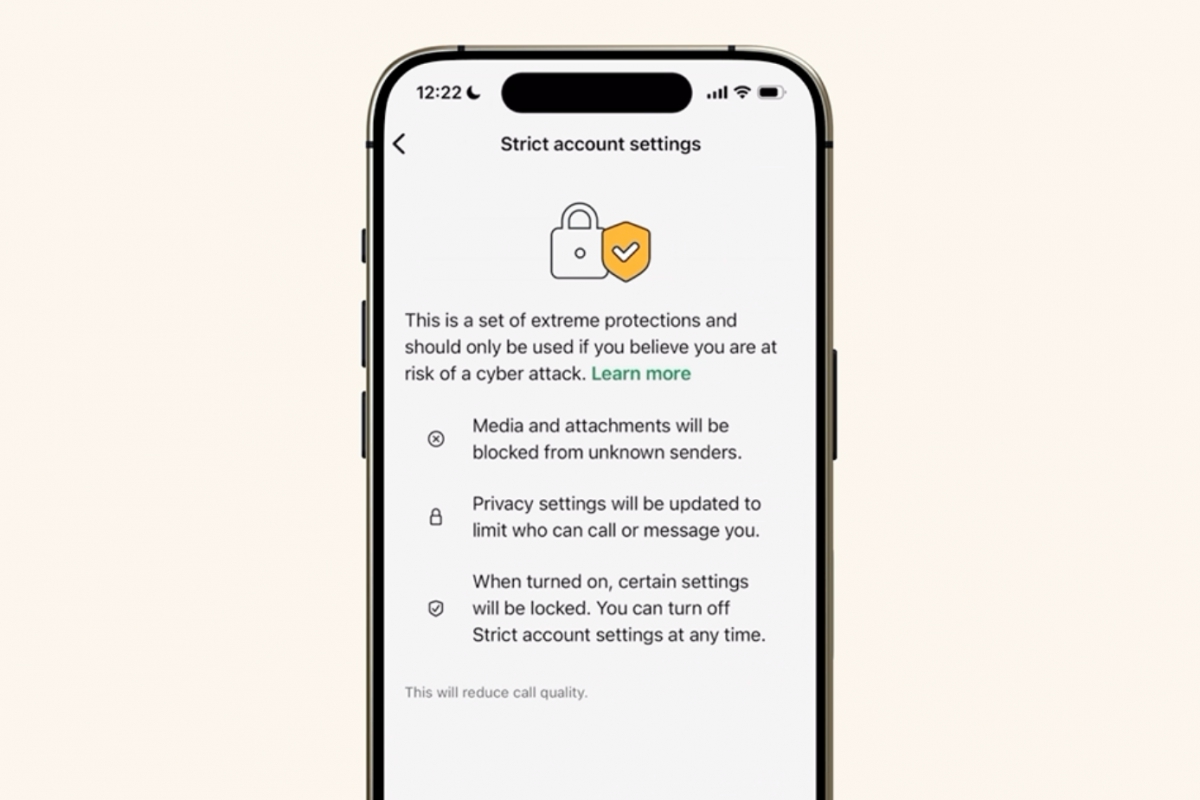
WhatsApp adds greater security with the Strict Settings function, ideal to avoid cyber attacks
talking about WhatsAppthe company behind this popular messaging application has decided add an extra security feature to this app, currently free. This has been announced by the company itself, where it tells us that this new function called Strict WhatsApp Account Settings will protect your account against more advanced and complex cyberattacks or identity theft. A function that is not intended for all users, but for those who may be subject to this type of attack or account theft.
The messaging application adds Strict WhatsApp Account Settings
In addition to the security that the application claims to offer by default, with end to end encryption in messages and calls, it is also adding this new extra security feature ideal for public figures or journalists. A function that will prevent more sophisticated cyberattacks with unusual methodsin exchange for restricting the functions available in your WhatsApp account.
This new function aims to prevent cyber attacks with sophisticated and unusual methods
The function is limited to add greater security centrally, simply by activating this new option. Your account will start work with the most restrictive settingssuch as automatically blocking attachments (including photos and videos) from unknown senders and silencing calls from unknown callers. The function will be available in the coming weeksand it will be activated from your device settings, entering privacy and the Advanced section.
This new feature will arrive in the coming weeks through an update
We leave you with all changes that makes this new option, not recommended for users who are not prone to receiving cyber attacks or theft of their WhatsApp account.
What do strict account settings do?
Account Security
- They automatically activate the two-step verification.
- They activate and block the security notifications to avoid unauthorized changes.
- They recommend the use of end-to-end encrypted backups (if you have backups activated).
Messages and multimedia content
- Block attachments and multimedia content sent by unknown senders.
- Disable link previewsreducing the risk of malicious links.
Calls
- Silence calls from unknown numbers.
- They hide your IP address during calls to improve privacy.
Profile and presence
- They block the visibility of:
- Last time time and online status
- Profile photo
- Info Section
- This information will only be visible to all your contacts or for a more restricted and personalized listdepending on your configuration.
Groups
- They only allow you to be added to groups:
- Known contacts
- Or one pre-established and more selective list of people

Juan Antonio Soto
I am a Computer Engineer and my specialty is automation and robotics. My passion for hardware began at the age of 14 when I broke down my first computer: a 386 DX 40 with 4MB of RAM and 210MB of hard drive. I continue to give free rein to my passion in the technical articles I write for Geeknetic. I dedicate most of my free time to video games, contemporary and retro, on the more than 20 consoles I have, in addition to the PC.
