
ENDORFY Solum 2 Pro Review: the 80 euro microphone that competes head to head with much more expensive models
Introduction and Technical Specifications of the ENDORFY Solum 2 Pro
Here we have the review of the ENDORFY Solum 2 Proa USB-C condenser microphone with polar pattern cardioid and 24bit/192kHzthe highest resolution Endorfy offers within its Solum series of microphones for streamers and creators.
It includes its own adjustable metal base, with rubber shock absorbers and cable management, as well as a touch control system for gain, mute or volume of the monitoring output. All this decorated with an RGB lighting system that also allows you to visually know the microphone levels.
Technical Features of the ENDORFY Solum 2 Pro
- General information
- Product Type: Condenser Microphone
- Color: Black
- Material: Metal
- Audio specifications
- Frequency response: 20 – 20,000 Hz
- Polar pattern: Cardioid
- Sampling rate: 192 kHz
- Bit depth: 24 bits
- Headphone output for monitoring: Yes
- Controls and functions
- Mute button: Yes (touch)
- Gain Adjustment: Yes
- Pop filter: Yes (external, removable)
- Anti-vibration support (shock mount): Yes
- Compatibility
- Operating systems: Windows, macOS, Android, iOS, PS4/5
- Others: Most smartphones with OTG support and USB-C port
- Connectivity and dimensions
- Mounting Type: Base
- Dimensions: 100 x 125 x 210mm
- Box contents
- ENDORFY Solum 2 Pro Microphone
- microphone base
- USB-C cable and USB-C to USB-A adapter
- Anti-vibration support (shock mount)
- Removable pop filter
- User manual
- Price: 80.94 euros.
Design and Connectivity
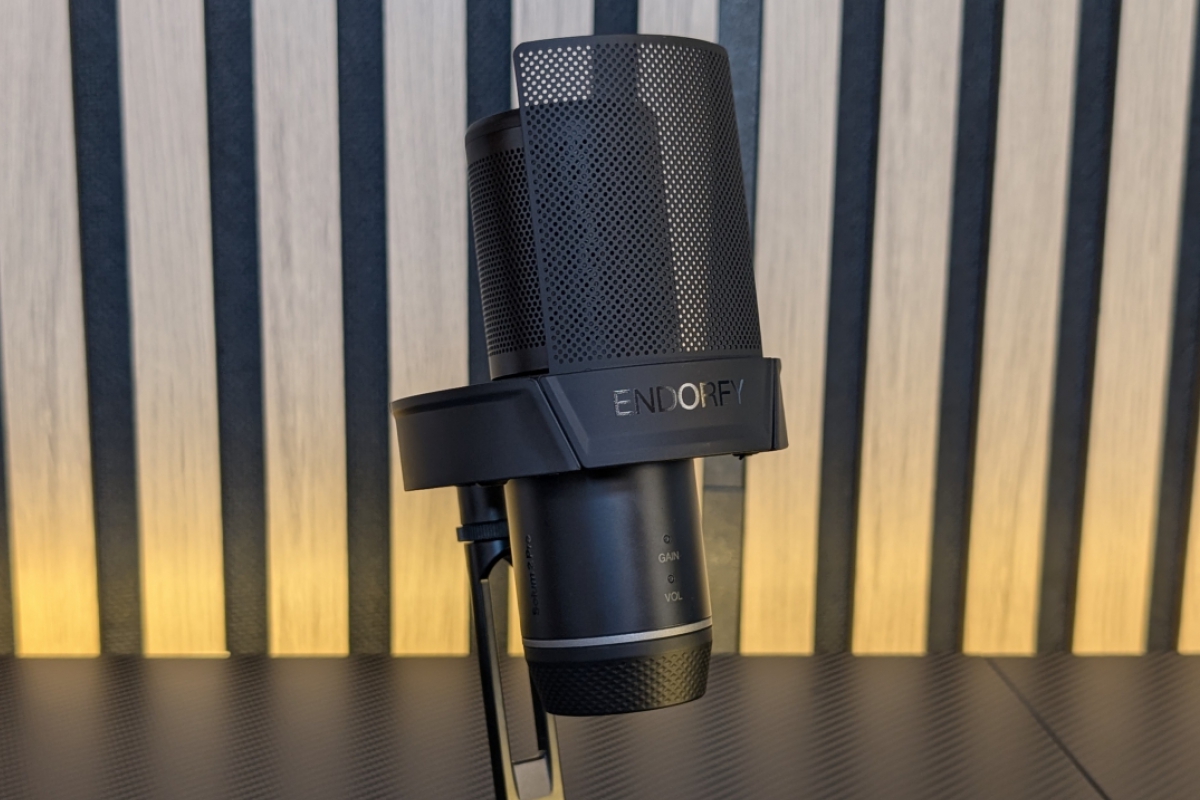
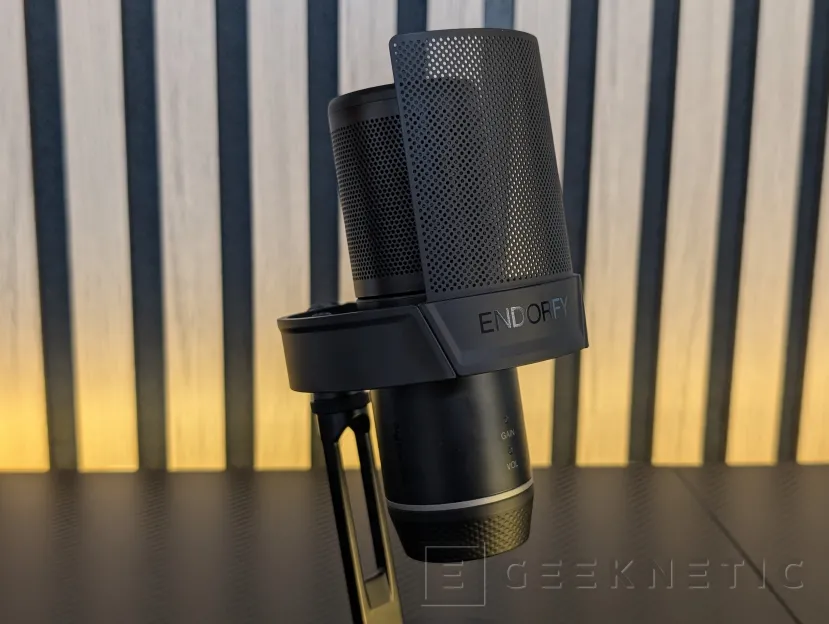
He ENDORFY Solum 2 Pro It arrives in a matte black finish with an all-metal construction, both in the cylindrical body of the capsule and in the circular base on which it rests. The brand logo appears engraved on the front of the body, just below the shock mount, next to the name “Solum 2 Pro” printed vertically on the side.
“Gain” and “Vol” are the two labels that appear at the bottom, along with an LED indicating which of the two modes is activated. We will go into this in detail later.
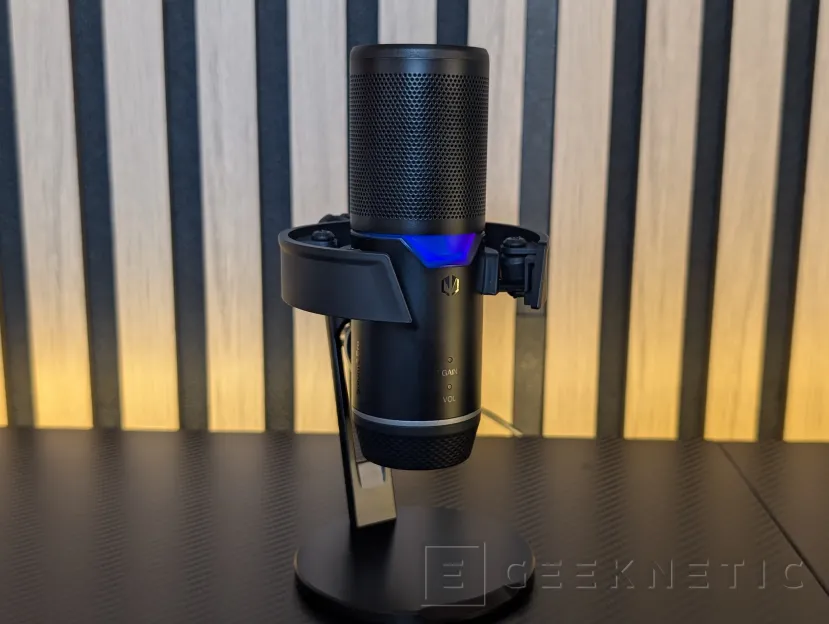
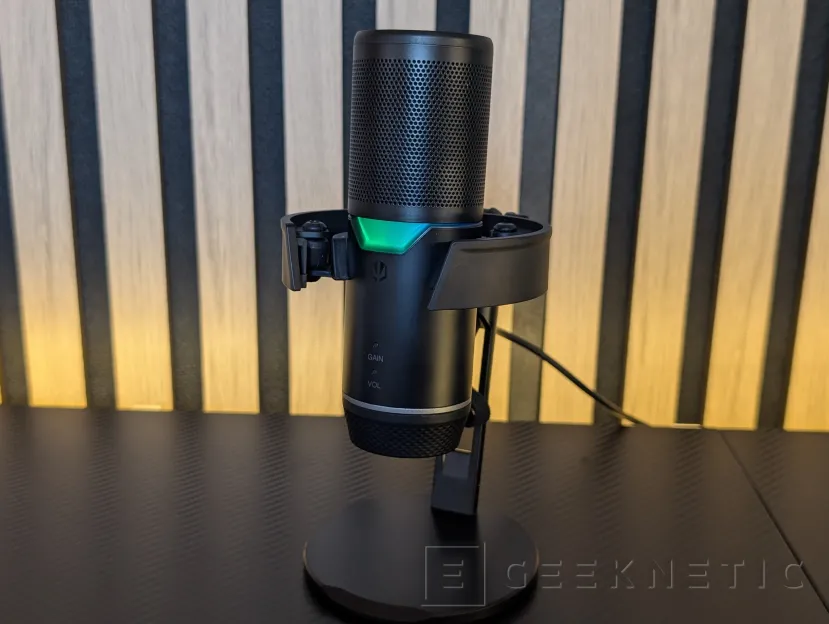
The upper part of the microphone has the housing of the pickup itself, with circular perforations around it, while the lower part is smooth, both separated by an area of ARGB LEDs that the company calls “stealth”, simply because, when turned off, the material hides that there is actually an area with LEDs.
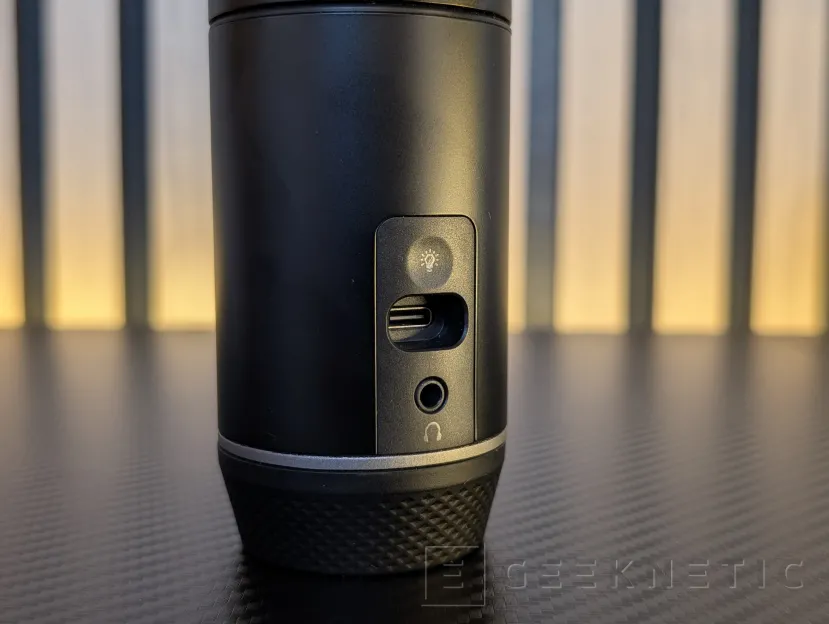
Its function is mainly aesthetic (although it also turns red when we mute) and it can be controlled in effects and colors from a touch button located on the back, right next to the USB-C connection and the 3.5 mm connector to monitor the sound in real time.
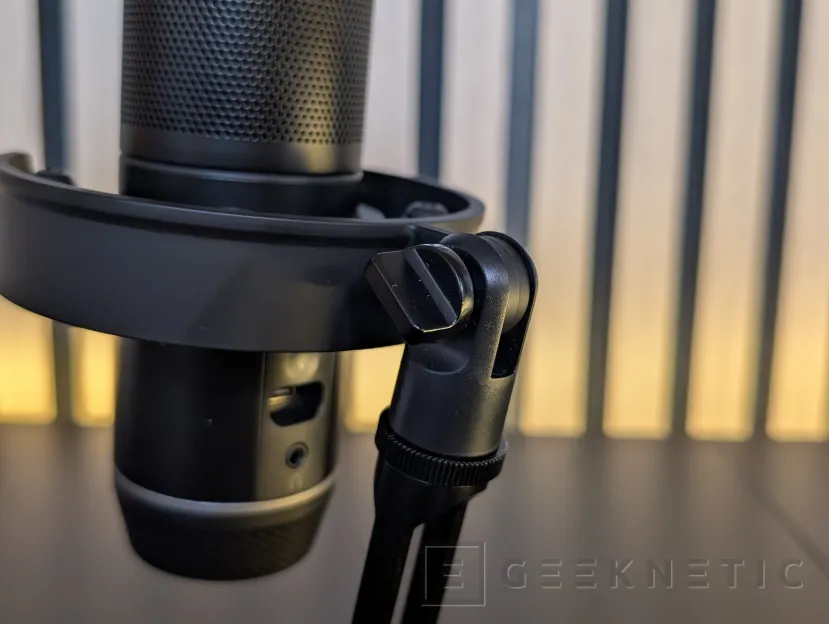
The microphone includes an open split-ring stand, unlike the closed cages of other condenser microphones. Seen separately, the ring clearly shows the four rubber shock absorbers that hold the microphone body at the anchor points to prevent the transmission of noise due to external vibrations.
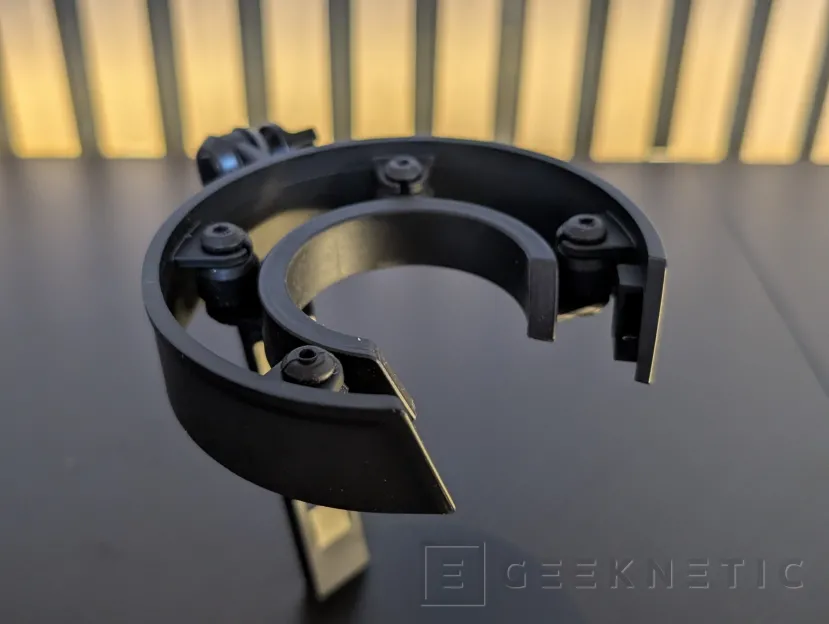
The fastening mechanism to the arm or support is solved with a lateral tightening screw, so it is enough to loosen it to be able to slide the microphone in or out of the ring without the need for more tools.
In addition, it can be removed from the base to be able to anchor that support, using a standard 5/8″ thread, to other holding arms, tripods, etc.
At the top of the capsule we find the mute touch buttonmarked with a small crossed-out microphone icon, integrated without relief into the metal surface.
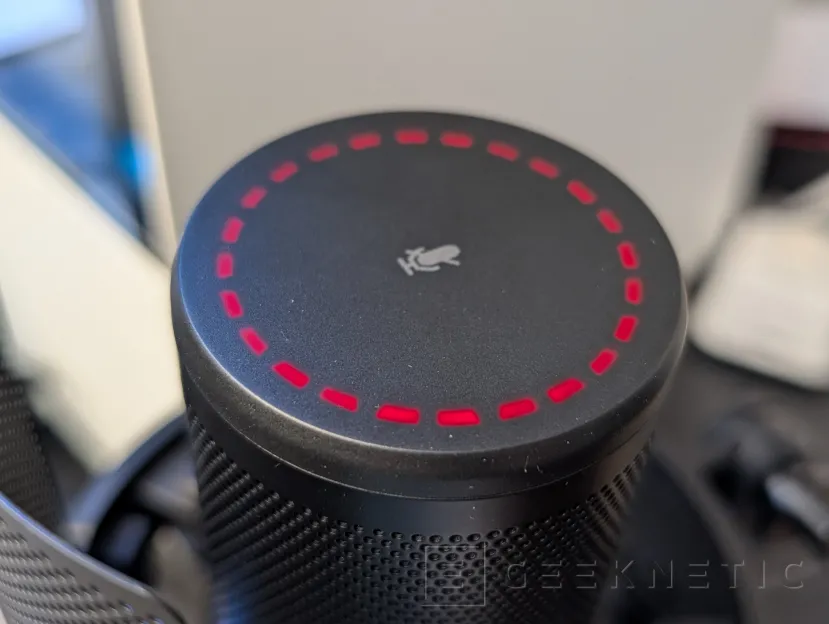
Around this icon, a discontinuous ring of LEDs remains completely off when idle and lights up with different colors depending on the active function: green for monitoring volume level, blue for profit and red to indicate that the microphone is muted. You can see the mode and volume or gain level very clearly through this system, and it integrates very well into the design.
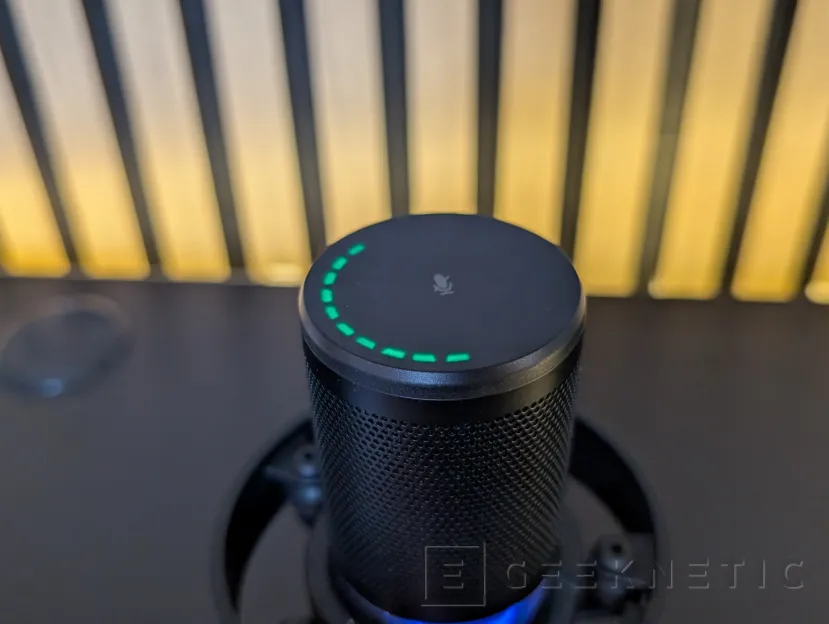
In addition to the upper indication in the LED ring (also with that “stealth” design that completely hides them when turned off), we have the two small LEDs in the ““GAIN” and “VOL”; In this way, you can also see from the front the mode we are in, since, if we use the microphone with an extendable arm, we will not be able to see the upper LEDs.
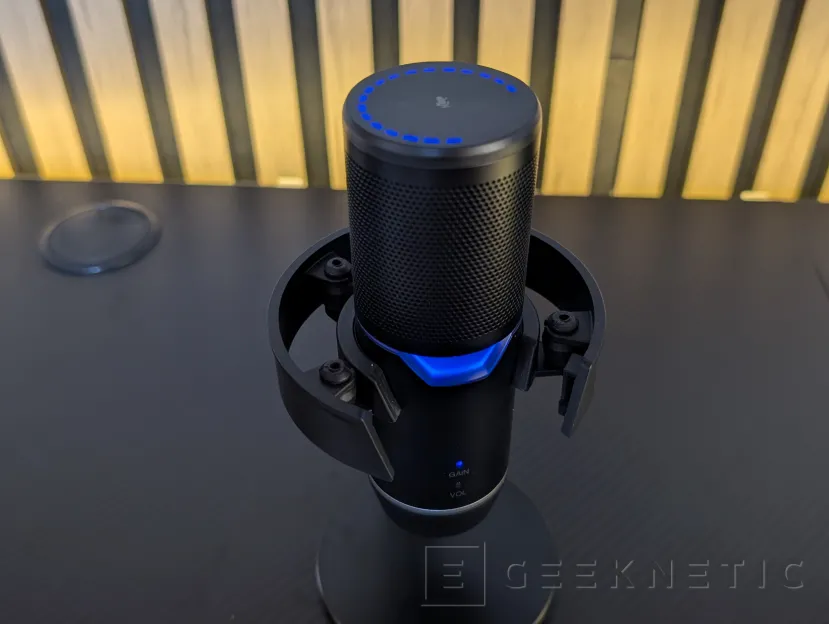
But how do you control volume and gain? ENDORFY has solved it in a way that does not break with the microphone design: the multifunction remote It occupies the lower part of the body, just before the base, with a slightly rough finish to improve grip when turning it. It is a single disc that, when rotating, regulates the volume and gain. To switch between both modes, also integrate a touch button at the bottom, with the relief of the brand logo.
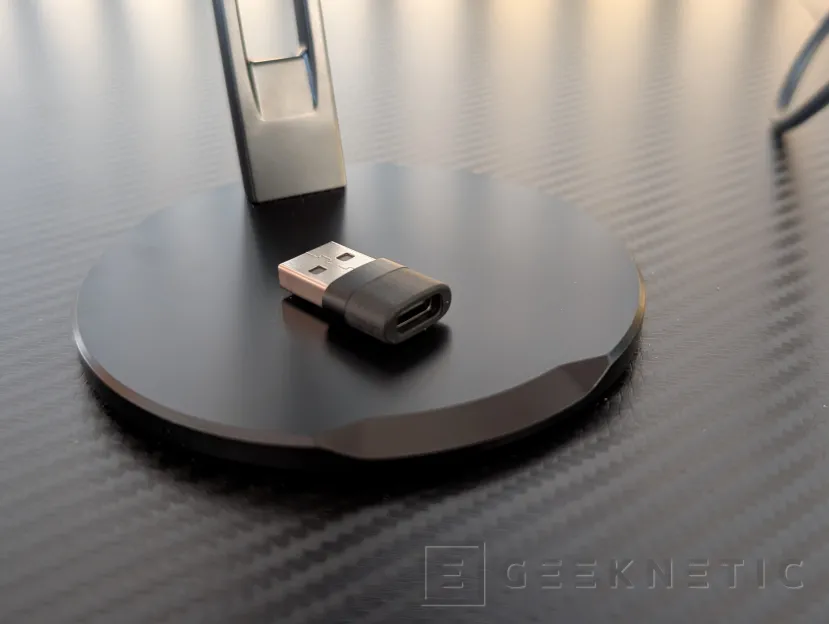
In addition to the clamping module itself and the USB-C to USB-C cable, a small USB-C to USB-A adapter is included to give you more versatility.
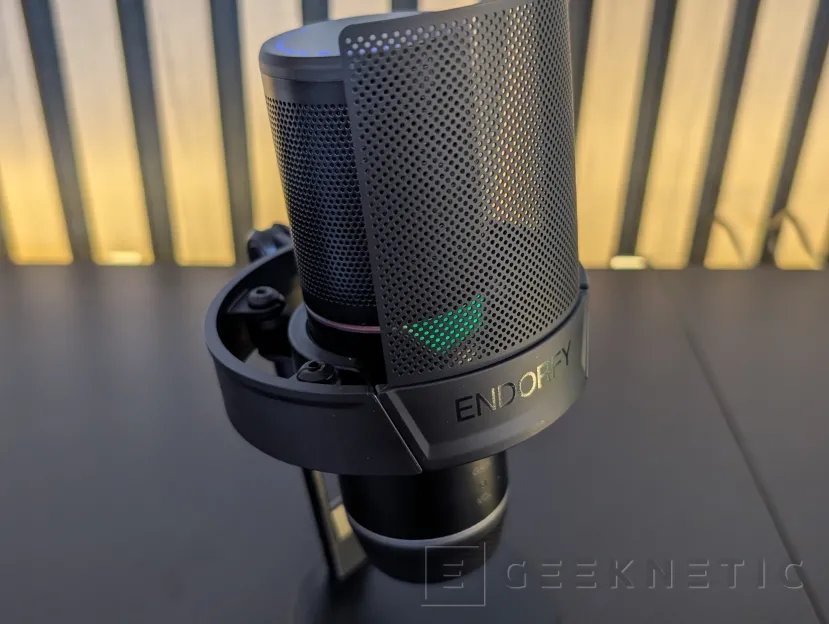
Finally, we cannot forget another key element that directly affects the sound quality: The “pop filter”.
It is a curved mesh panel, which is placed just in front of the microphone, hooking it into the circular support itself. Its function is to deflect the direct blast of air from plosive consonants such as B or P before it reaches the microphone, softening the recording.
ENDORFY Solum 2 Pro User Experience
The ENDORFY Solum 2 Pro is a microphone ““plug and play” extremely simple to use; We just have to connect it to a USB-C (or USB-A with the adapter) on any computer, or even tablet and mobile with OTG support (most nowadays), and we will have a quality voice recording and transmission system working immediately.
This means that you do not have to install any type of software or specific drivers, controlling the gain/volume of the microphone itself from the lower wheel itself, as well as the volume of the monitoring output.
Although this has a clear advantage, which is simplicity and speed of use, it also means that The microphone does not include any type of software to adjust the equalization, nor noise reduction technologies or lighting configuration from the operating system. Many of these functions can be supplied with third-party software, but the company’s own solution is missing.
In terms of recording quality, it more than meets the requirements and does so at a reasonable price, below that of its rivals such as the Elgato Wave. It is true that in alternatives like those from Elgato we have total integration with its ecosystem, peripherals and software; but at the level of recording quality we will not notice significant differences between them.
The use of a cardioid type microphone focuses on capturing sound from the front, attenuating sounds as they move away from that area towards the sides. This has the clear advantage for the use for which this model is intended, which is to capture only the voice, although you must always maintain a right angle towards the microphone and a certain distance that the company indicates between 15 and 30 centimeters. If we get closer, the bass will predominate more than desired.
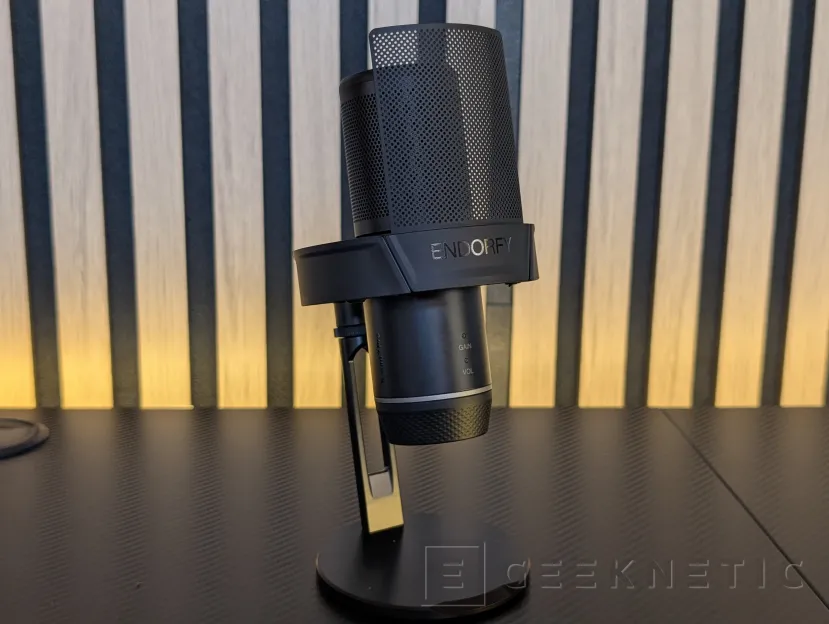
It is a condenser microphone with a cardioid polar pattern, capable of capturing audio at 24 bits and 192 kilohertz, the highest resolution of the entire Solum series. Its body is completely metal, mounted on a heavy base with an integrated channel to hide the cable.
The “pop” filter clearly works; Without it, the “beats” that register on the microphone in words with the letter P or B, for example, are clearly audible. Next, we leave you with two recording tests with and without the filter.
Geeknetic · ENDORFY SOLUM 2 PRO with pop filter
Geeknetic · ENDORFY SOLUM 2 PRO without pop filter
Analysis and Conclusion
He ENDORFY Solum 2 Pro It is a USB-C microphone that is aimed directly at streamers, podcasters or users who need to communicate and record quality audio and who are looking to improve their voice without complicated settings or additional software.
The design is very careful, it has excellent build quality and the LEDs that indicate the volume level and the status of the device are perfectly integrated. The same can be said about the volume control and the integrated touch buttons. The support base is also very practical, with the option of placing it on tripods and other anchors, but also with its own base and damping system to avoid vibrations.
That said, the approach plug and play It has its pros and cons. It is appreciated not having to install drivers or configure anything to start recording, but it also means that there is no equalization, noise reduction or lighting management from its own software. However, there are many programs to do this, including some with AI-accelerated noise cancellation on GPUs such as NVIDIA solutions, so it will not be a problem for many.
In terms of sound, the microphone more than meets its price range and can compete head-to-head with solutions with considerably higher prices. The pop filter also does its job remarkably.
By 80.94 eurosthe Solum 2 Pro is clearly below alternatives such as the Elgato Wave, and without giving up high quality. It is a very reasonable option for those who prioritize good voice capture and well-integrated physical controls, and do not need their own software ecosystem behind them. If we are looking for a quality microphone to use with our usual software and on all types of devices, there is no doubt that ENDORFY has managed to create an excellent product with this Solum 2 Pro.
