
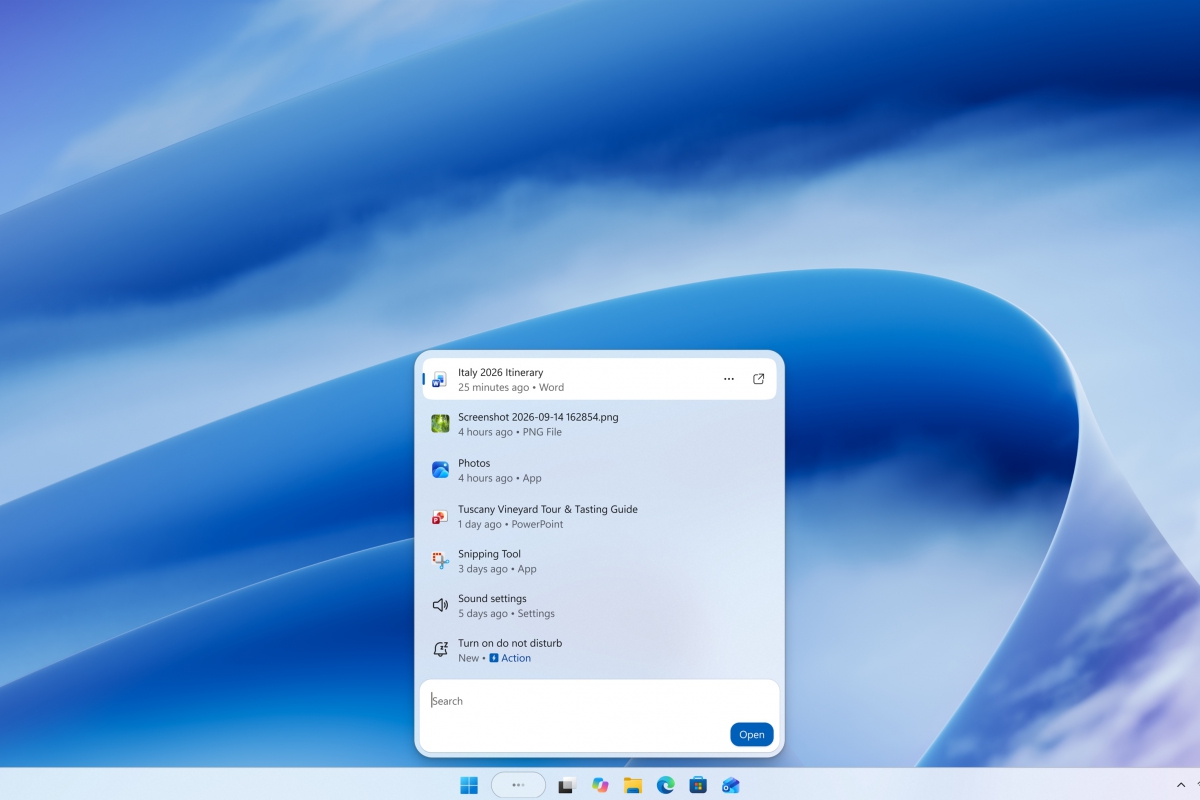
The new Windows 11 search comes to the Beta channel with quick actions and better tolerance for typos
The new Windows 11 search begins to reach users of the Beta channel of the Windows Insider program. Among the new features, you will now be able to activate dark mode or Bluetooth, adjust the screen brightness, silence the computer or organize the windows. Microsoft calls these functions integrated actions and are part of Build 26320.9876.
This is the version of Search that Microsoft introduced in October, built with WinUI 3, the framework with which Microsoft intends to modernize the entire system. According to the company, it is faster and more efficient and its design makes the results easier to review. In addition, it better understands what you are looking for, because it recognizes typos and synonyms, something that the company promises to continue refining in the coming weeks. Of course, keep in mind that for now it only works in english. Presumably, sooner rather than later it will reach other languages, such as Spanish.
This change comes after, at the end of August, Windows 11 launched a search without Bing results, cleaner and with shortcuts to Settings. Microsoft has also announced that it will add more information about files and a preview of web results before the end of the year.
With this build, in addition, the Beta channel moves to Windows 11 version 26H2 through an enablement package, a small update that activates functions already present in the system, so the change in build number does not in itself represent any big news.
The rest of the new features of Build 26320.9876
In addition to the new search, Microsoft has released several important new features in this same build. Here we leave you a complete list of all of them:
- Live subtitles. You can now choose whether to transcribe audio from the system, the microphone, or both. So you can subtitle a conversation in person without capturing the sound of the PC, or follow the audio of the computer during a meeting or while watching a video.
- Games. Quick Settings comes to the Game Task View navigation bar in XBOX mode, with all taskbar options without exiting that mode.
- Web login. It already works on teams hybridly joined to Microsoft Enter; Previously it was only available on teams connected to Microsoft Sign in. Allows you to log in to the lock screen without a password, with a FIDO2 security key, a mobile passcode, or a temporary access pass (TAP). After you log in, Windows gets a Kerberos ticket, so shared folders and internal company sites continue to work.
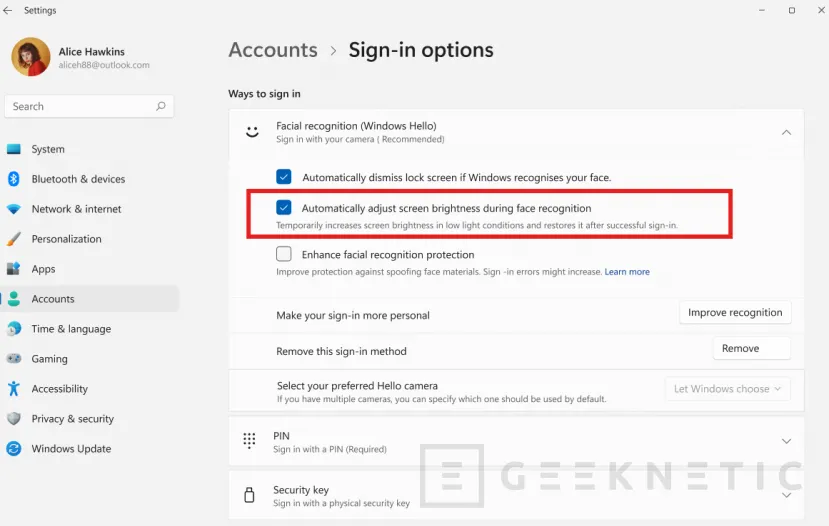
- Windows Hello. Facial recognition can temporarily increase screen brightness to help you log in in dark or dimly lit rooms.
- Entrance. The prompts asking whether you want to activate Sticky Keys or Filter Keys have been updated so that it is now easier to dismiss them forever from the dialog box itself.
- Configuration. Shows shared cloud storage usage for Microsoft 365 Family subscriptions, and will soon add a breakdown by member.
- File Explorer. The address bar supports the ~ symbol to go directly to the user profile folder and its subfolders, for example, ~AppData.
As Microsoft reminds us, features tested in the Insider program may change, be withdrawn, or never reach the final version of Windows 11. Keep this in mind.
