
The Sony or Microsoft interface? Steam Deck can now imitate both consoles thanks to Decky Loader
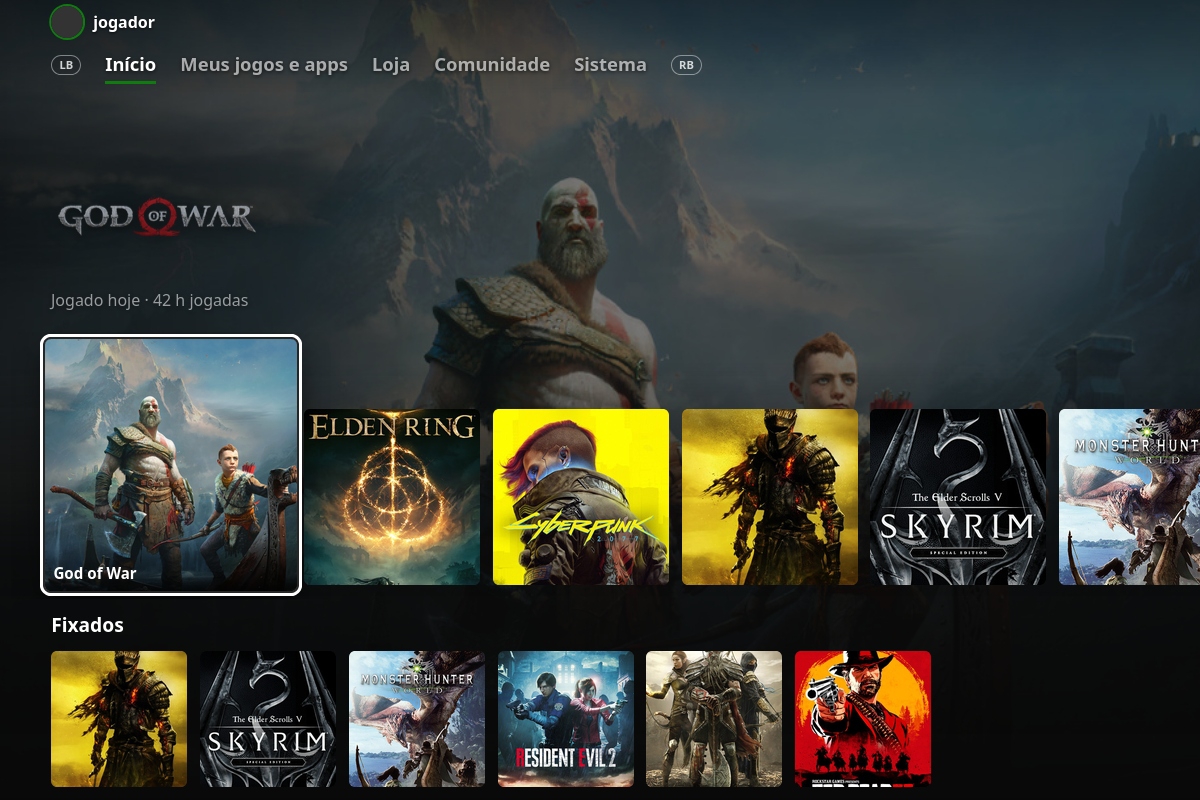
While waiting for Steam Deck 2, the SteamOS community has two more options to customize Valve’s original portable console. Both come hand in hand with Deck Loaderwhich has published two extensions to replace the game mode interface, the Game UI PlayStation 5 and Xbox Series X|S. Both projects represent a profound change to the interface, as they modify the distribution of the titles on the screen, the tones of the system and the information sheets for each delivery.
In the case of the design based on Sony’s platform, the tool replaces the classic Steam cover with a top row of square icons that places the store at the beginning, recent games in the center and the library at the end. When you select a title, the official illustration takes up the entire wallpaper along with its logo, accumulated playing time and shortcuts with game data. HowLongToBeatMetacritic ratings or trophy progress.
Likewise, navigation between the gaming and multimedia sections is done with the L1 and R1 buttons, while the quick access menu and shutdown options adopt the control center style with blue and dark gray accents.
Dedicated tabs and Guide-style menus for the Xbox experience
For its part, we have the variant inspired by the Microsoft system. This carries over the Xbox horizontal tab structure, allowing you to switch with LB and RB between the home, the application library, the store and general settings.
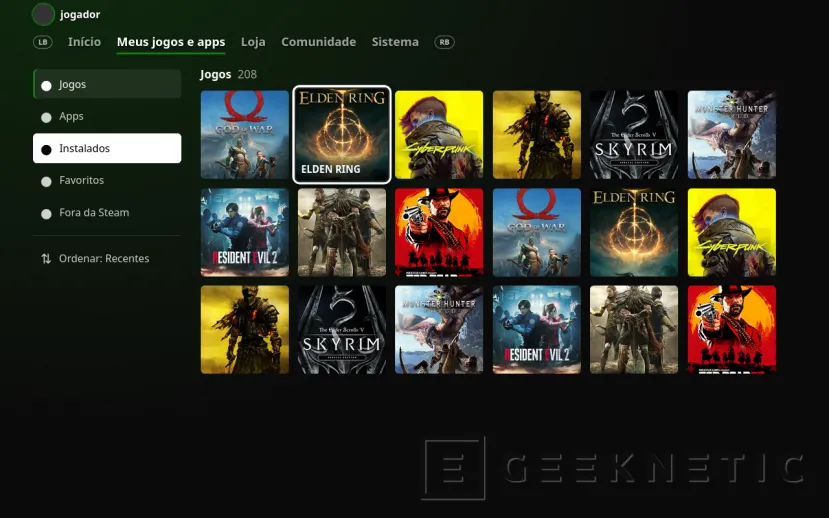
Pressing the Y button on any thumbnail opens a detailed tab that lists the Steam Deck compatibility status, installation space, and hours required to complete the campaign. Additionally, the user can pin games to the main screen by pressing the X button or customize which collections appear organized in the bottom rows.
This plugin also transform SteamOS side menus to emulate the Xbox Guide button, incorporating a white selection ring on active elements, smooth input animations, and support for Windows graphical environment fonts. It also offers options to hide specific titles from the home and configure custom rows based on catalog usage.
Both tools are compatible with both Steam Deck as with other portable devices running SteamOS. To use them, it is necessary to have Decky Loader and enable developer mode in its general options, from where the compressed files of each project are loaded, maintaining the language configured in the console.
