
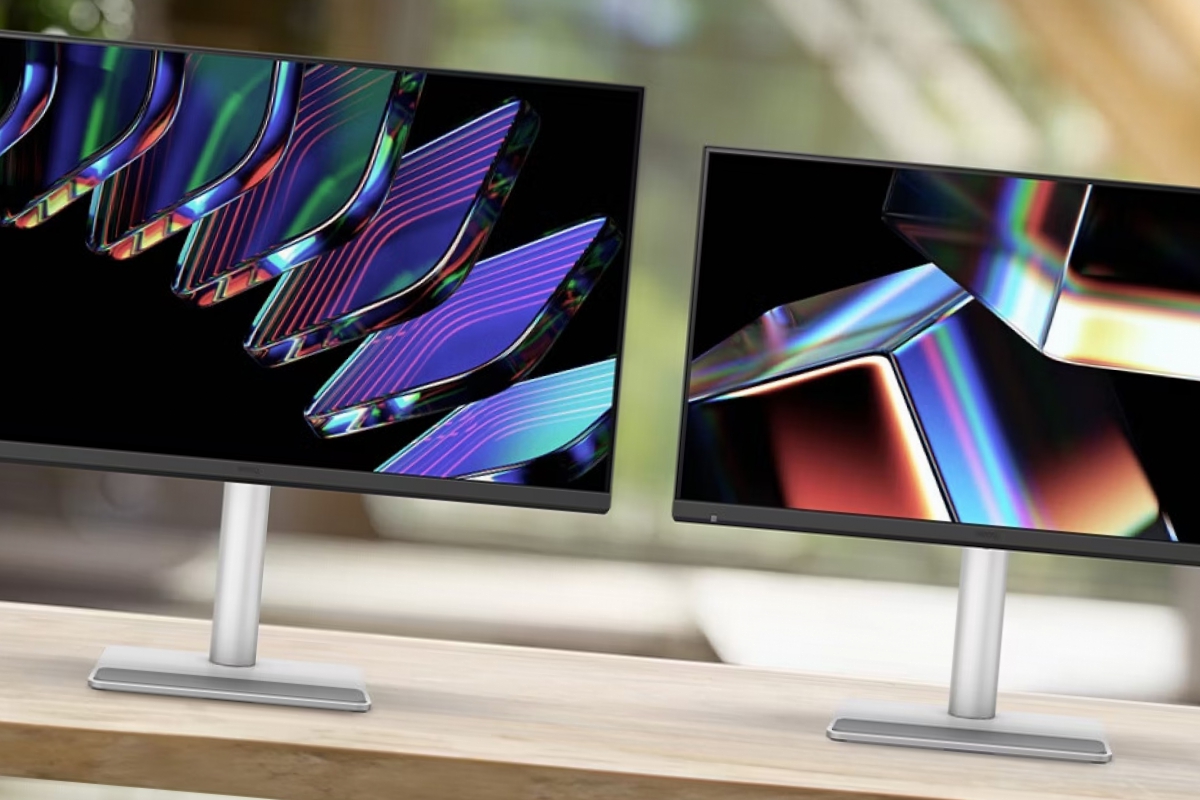
This is what the new MA monitors are like and why they are going to be a conversation piece
There is a type of annoyance that you only understand when you work for many hours with a laptop: you connect an external monitor, open a photo or a document with delicate tones and, suddenly, the color no longer “matches” with what you see on the MacBook screen. It’s not a one-time drama, it’s a daily friction. BenQ has been trying to attack just that problem for some time with its MA series, and now it is expanding the family with “flagship” models that focus on a controversial and very desirable ingredient at the same time: glossy panels, but with more controlled reflections.
The company has presented new variants within the MA seriesaimed specifically at Mac users, with Nano Gloss panels and settings designed to reproduce Mac colors consistently. The idea is that the monitor feels more like a natural extension of the laptop, not like a “PC” screen stuck to the side.
Nano Gloss: shine yes, but without living in a mirror
The shine of glossy panels is famous for a reason: When done well, the perceived contrast and “depth” of color is a delight, especially in photography, video and design. The problem is the classic one: reflections, glare and visual fatigue if the lighting is not good.
BenQ tries to square the circle with Nano Glossan approach that seeks to maintain that vividness of the bright panel, but with controlled reflections. In its European catalog, the brand also plays with the idea of “visual comfort” and technologies focused on reducing discomfort during long sessions. In practice, the appeal is clear: those coming from a MacBook screen, which is usually bright, tend to prefer a similar feel.
Two sizes, one objective: that the color “fits” as soon as it is connected
The MA series carries the “Mac colors” speech as its flag. BenQ explains that The range is designed to match color rendering with MacBook and offer a wide color space, with specific adjustments so that you don’t notice a strange jump when moving windows from one screen to another.
On the European site you can see models like the MA270Uwith focus on 4K, USB-C and powerful charging for the laptop. And, in the most recent expansion, variants appear such as MA270UP and MA320UPwhich emphasize the Nano Gloss panel and that goal of “Mac experience” without fighting with color profiles.
Beyond the number of inches, what BenQ is selling is a sensation: you plug in and that’s it. That is the holy grail for those who don’t want to spend an afternoon calibrating.
Thunderbolt 4, charging and hub: the desktop with a single cable
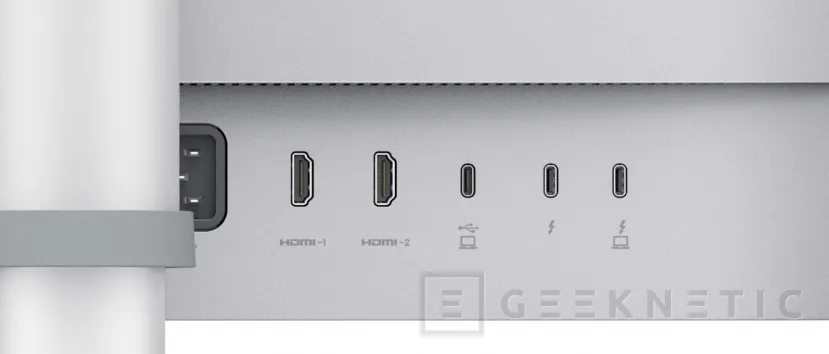
If you work with a Mac, the key point is usually the same: a cable, and that’s it.. The new high-end MAs are committed to connectivity type Thunderbolt 4 and charging powers designed so that the laptop does not live searching for a plug. It talks about 96W charging plus an additional 15W port and possibility of chaining devices.
This approach fits the logic of the modern desktop: monitor as a dock, with the laptop acting as a brain. BenQ also highlights features like Smart KVM to switch between two systems with a single keyboard and mouse, something very useful if you mix, for example, a MacBook with a desktop or mini computer.
“Mac-like” control: brightness, volume and gestures that avoid friction
Another interesting point is the attempt to integrate controls more naturally. BenQ’s official pages mention brightness and volume synchronization between MacBook and monitor, so that the settings feel consistent.
Ergonomics are also emphasized. There is talk of supports with adjustment of up to 150 mm to adapt height and posture. And that, in a 27 or 32 inch monitorchanges everyday life more than any slogan.
Why these monitors may be popular, and for whom not
The profile that BenQ is looking for is clear: Mac users who want an external monitor with an “Apple feel”especially if they work with color, but without jumping to much more expensive solutions. The appeal of controlled glossy is evident for those who come from a MacBook and are desperate with matte panels that “turn off” the image.
Now, it’s not for everyone. If your table is in front of a window without a curtain, any bright panel becomes a set of reflections. And if your main use is office automation without color sensitivity, it may not be worth paying for that extra. The key is in the routine: if your day is photo editing, video, design or you simply value a “live” image, this type of panel can be a leap.
In short, BenQ is fine-tuning a proposal that addresses a real pain: the discontinuity between the MacBook and the external monitor. If you ensure that the glossy shine is not a condemnation of reflections and that the connectivity is truly a single cable, the MA series has the potential to become that purchase that does not excite you in the store, but that makes you smile every morning when you open the laptop.
