
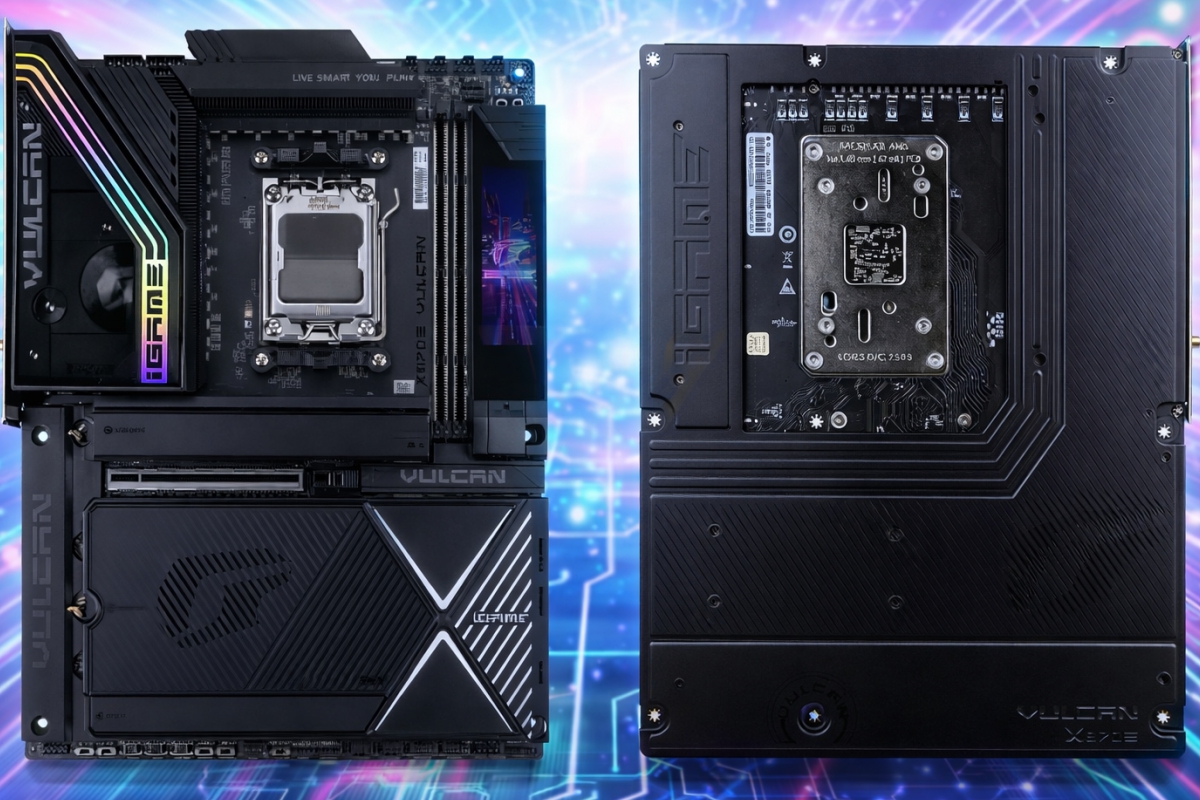
Colorful presents the iGame X870E Vulcan OC V14, an AM5 board designed for frequency records, extreme DDR5 and uncompromising overclocking
Sometimes, in the hardware world, a product is not presented with a table of specifications, but with a slap on the table. That is exactly what Colorful aims to do with its iGame X870E Vulcan OC V14: An AM5 motherboard that doesn’t disguise itself as “high-end for gaming,” but rather sits squarely in the field where millimeters, clean signals, and stability matter when everything else starts to fail. The board’s own approach makes it clear: design designed for overclocking, memory well above the usual and an ecosystem of connectivity without complexes.
The underlying idea: fewer concessions, more control
“Everyday” plates usually seek balance. Good phases, several ports, four RAM slots and a little of everything so that no one is left out. The Vulcan OC V14 plays something else: Go for a design with only two DDR5 slotssomething that, said like that, sounds like a cut, but in reality it is usually a typical decision of boards aimed at squeezing memory. Fewer slots mean simpler layouts and thus better signal integrity. To put it less technically: at very high frequencies, every extra centimeter and every branch counts.
In the published data, Colorful sets its sights on DDR5 10000 or higher in specific scenariosand details different steps depending on the Ryzen CPU family used, something that fits with how AM5 behaves in real life, where the memory controller and silicon set very different limits depending on the generation.
Power and dissipation: the kind of numbers overclockers are looking for
If there is one part that gives away a record plate, it is the power delivery. Here we talk about an 18 plus 2 plus 2 scheme with 110 A stages, and a double 8-pin EPS connector for the CPU. Translated: margin to power demanding processors without the board becoming the bottleneck when you increase voltages and loads.
Added to that approach is a “rough” fairing and dissipation, with thermal armor and covers that are not just there for aesthetics. On boards like this, the temperature of VRM and areas close to M.2 can decide if a system holds up or falls in the middle of a test session.
Modern connectivity without sacrificing testbed DNA
The good thing about this Vulcan OC V14 is that, Even if your heart is overclocking, you don’t forget the rest. The plate integrates USB4 at 40 Gbps on the rear paneland also boasts of fast wired network with 5GbEin addition to WiFi 7 and Bluetooth 5.4. On a board designed to squeeze hardware, this makes sense: those who constantly test and change components usually move large files, capture, stream or work with huge libraries of games and benchmarks. Having USB4 and a fast network prevents the “test” computer from feeling like a cut-down PC.
There is also plenty of storage– Five M.2 slots are mentioned, with three in PCIe 5.0 x4 and two in PCIe 4.0 x4. And there is an important detail for those who buy with high-end GPUs in mind: PCIe 5.0 x16 can share lines with part of the M.2 subsystem, so that, if certain slots are populated, the main slot can start to work at x8.
Integrated LCD screen and buttons: board convenience that lives out of the box
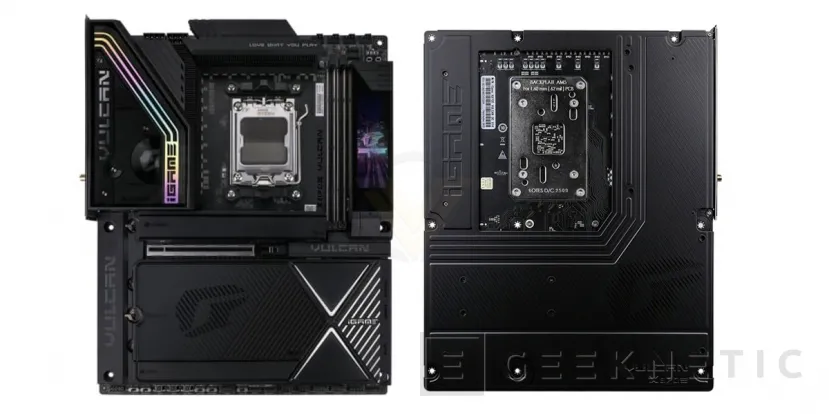
Here is another very touchable plate feature: the LCD screen next to the memory slots and the presence of physical buttons such as Power and Reset on the board itself. On a closed PC it may seem like a whim, but on a test bench or in a setup with frequent changes it is very convenient. The LCD cover itself is sold as a customizable part of the design, and is accompanied by debug indicators.
These types of details also have an aesthetic reading, of course, because the Vulcan usually play with lighting and visual elements. But the point here is practical: when you’re fine-tuning settings, rebooting, and testing profiles, having handy controls and visual feedback saves you time and aggravation.
The record thing: what it means and what it doesn’t mean
If the headline talks about a frequency record, the sensible thing to do is put it in context. “Maximum frequency” records are typically achieved with extreme cooling, often with liquid nitrogen, and are typically validated on tools such as CPU Z or HWBOT-type platforms. They are technical and media milestones, but they do not represent a stable frequency for daily use.. Even so, they serve as a demonstration of two things: the specific silicon of the CPU and the quality of the ecosystem that supports it, from the board and VRM to memory and BIOS.
The real question is whether it makes sense without liquid nitrogen. And the answer depends on the profile. For someone who wants a powerful PC, period, there are probably more rational and cheaper options. But for those who enjoy fine-tuning memories, looking for the best EXPO profile, playing with BCLK or setting up a serious test rig to get numbers, this type of board offers something that is noticeable: electrical margin, layouts designed for fast memory and a more comfortable experience when the PC is assembled, disassembled and restarted twenty times in an afternoon.
