
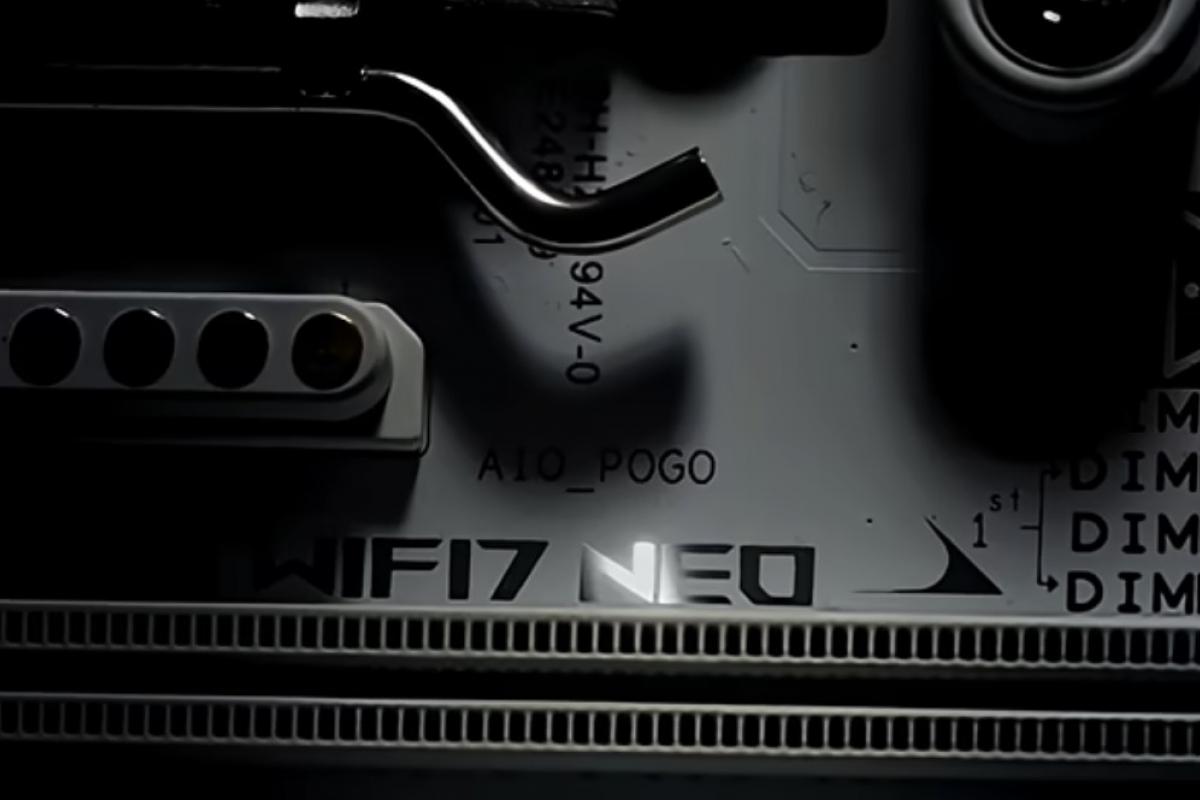
ASUS anticipates the arrival of its new NEO motherboards for AM5 processors at CES 2026
ASUS has begun to warm up its engines for the most important technology fair of the year. A few days before CES 2026, the manufacturer has revealed that it will present a new series of motherboards called “NEO”. Through a short video published on YouTube, the brand has confirmed that these new models will be destined for the AM5 platform, maintaining support for current AMD processors.
The preview, just 18 seconds long, shows glimpses of several models from different angles, allowing us to identify that this new nomenclature will cover the company’s most popular ranges. Users can expect NEO versions within the families ROG (Republic of Gamers), TUF Gaming and the ProArt series focused on content creators. Although the video does not delve into detailed technical specifications, it serves as official confirmation that ASUS will expand its hardware catalog imminently during the event.
An update to the 800 series
As indicated in wccftechgiven that most manufacturers launched their 800 series motherboards for AM5 almost a year ago, everything indicates that the NEO line is a renewal of existing models more than a completely new architecture. It is expected that these boards will incorporate specific improvements in connectivity and minor adjustments, without entailing a radical change in the ecosystem.
A revealing detail that can be seen in the close-ups of the video is the nomenclature of the products. In one of the shots you can see a model whose name ends in “WIFI7 NEO”suggesting that ASUS will keep the current names of its motherboards by simply adding the suffix “NEO” to differentiate these updated versions from their predecessors.
Edgar Otero
I am a computer systems technician, I started experimenting with a Pentium II, although my thing has always been software. Since I upgraded from Windows 95 to Windows 98 I have not stopped installing systems. I had my Linux era and I was one of those who asked for the free Canonical CD. I currently use macOS for work and have a Windows 11 laptop on which I have also installed Chrome OS Flex. In short, experiment, test and press buttons.
