
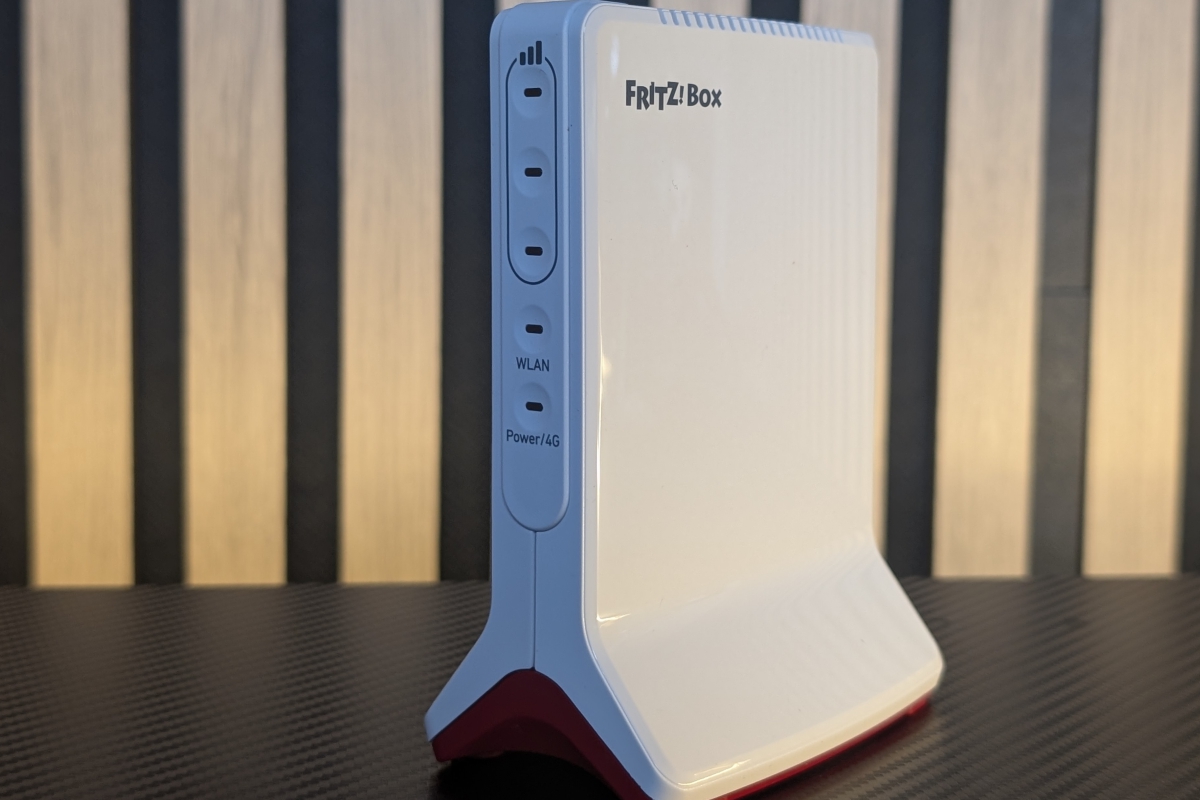
FRITZ!Box 6825 4G Review
Introduction and Technical Specifications of the FRITZ!Box 6825 4G
We present to you the Review of the FRITZ!Box 6825 4G, a very compact and light router with 4G connectivity to set up a WiFi network with an Internet connection from anywhere.
Both in terms of design and configuration interface, it adopts the essence of FRITZ! offering a very easy device to use and configure, also adding very interesting functions such as native support for mesh networks.
Technical characteristics of the FRITZ!Box 6825 4G
- Wireless Connectivity
- WiFi 6 (802.11ax)
- WiFi Band: Single (2.4 GHz)
- Antennas: Internal, 2×2 MIMO
- WiFi transfer rate: Up to 600 Mbit/s
- 4G LTE technology
- Maximum 4G speed: 300 Mbit/s
- Physical Connectivity
- 1x Gigabit LAN Ethernet Port (RJ-45)
- 1x NanoSIM card slot
- Security and Management
- Security: Firewall, WPS, parental controls and guest access
- Management: Web interface and upgradeable firmware
- Feeding
- Dimensions and weight
- 130 x 97 x 62.3mm
- 270 grams
- Package Contents
- Router
- USB-C power adapter
- USB-C cable
- LAN cable
- Quick start guide
- Price
Design and Connectivity
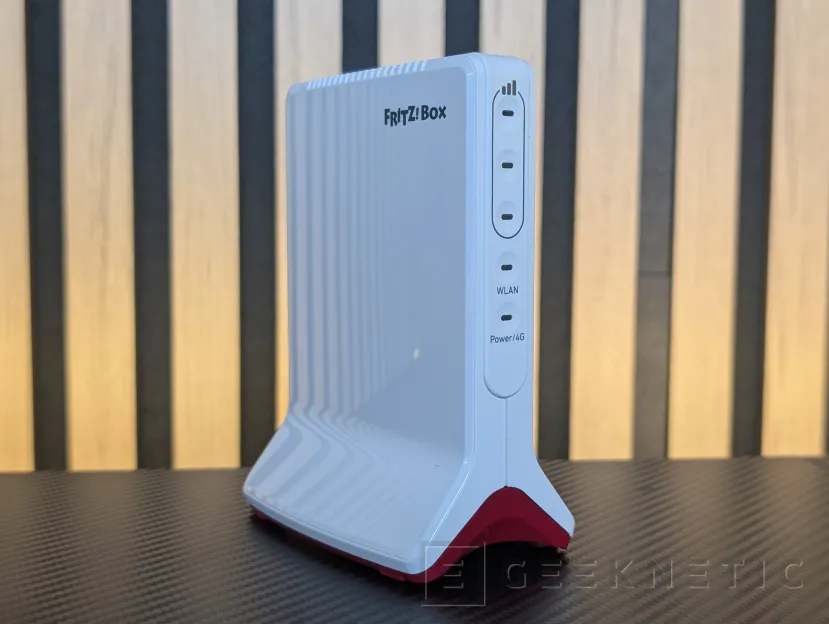
The FRITZ!Box 6825 4G has a design that follows the characteristic lines of the company’s devices, with that white and red color scheme and smooth finishes with “glossy” surfaces. It has a vertical format that is stable thanks to the wider lower shape formed by its two “extremities”.
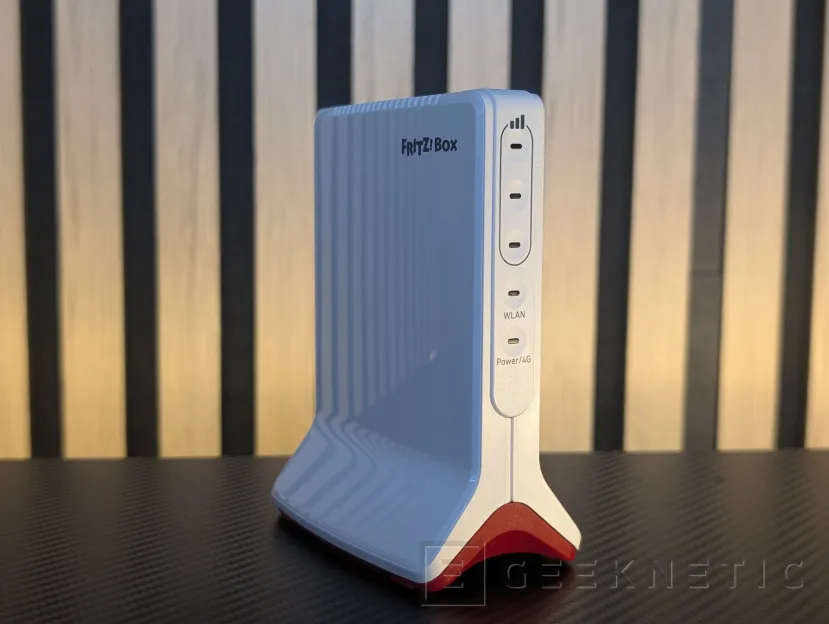
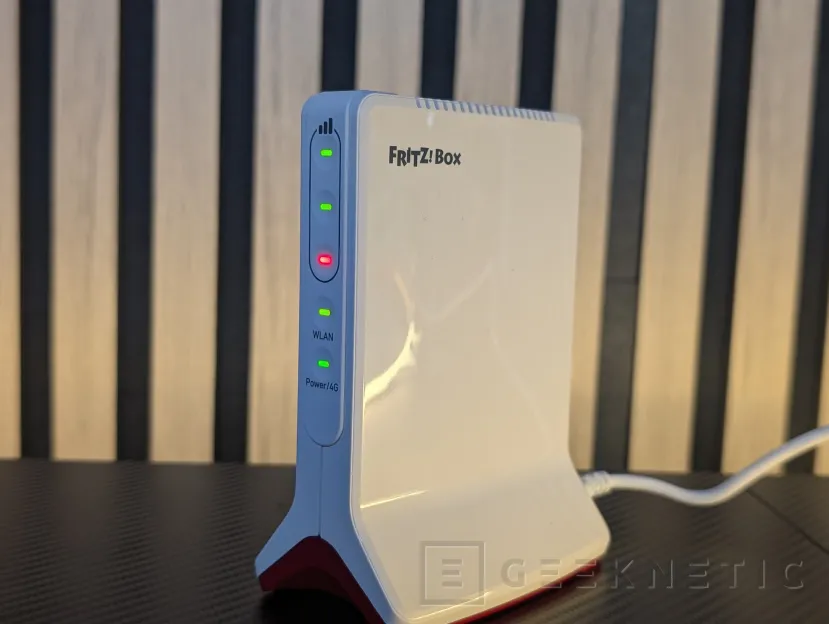
On the front we have five status LEDs that monitor with different colors the operation of the router itself, 4G network, WLAN and the WiFi connection.
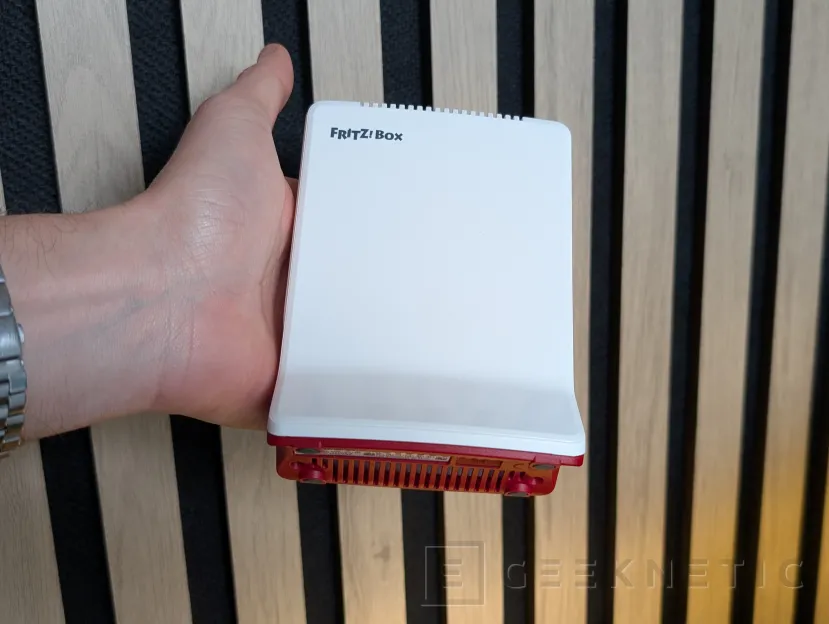
Measuring 130 x 97 x 62.3 mm and weighing approximately 270 grams, the FRITZ!Box 6825 4G is a very small router. In the following image we can see it in the hand to get a visual idea of what it occupies.
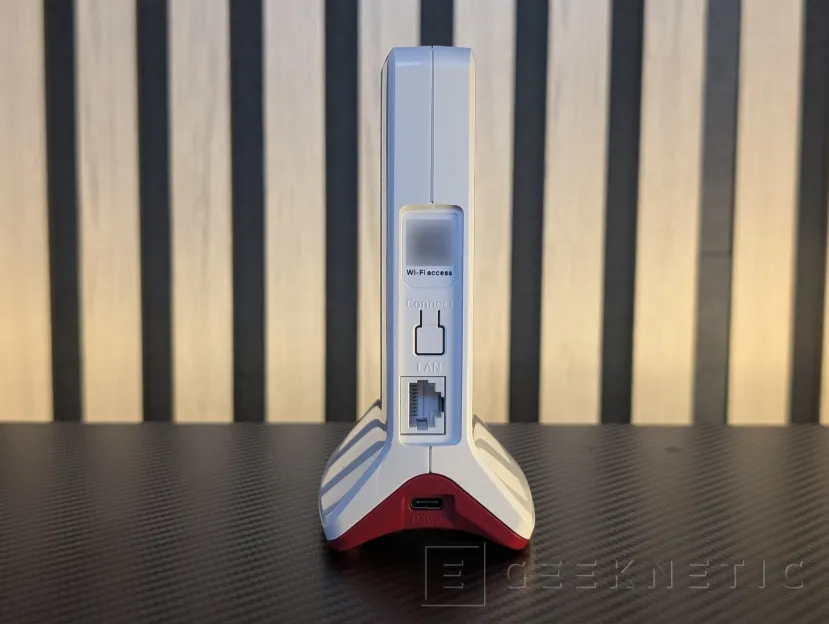
On the back we have a button for quick connection, a QR to scan with the mobile phone and automatically connect to the WiFi network (as long as we do not change the default password) and a 1 Gbps Ethernet port. There is no support for 2.5 GbE or higher, although it would not make much sense given the use and speed limitations of wireless networks.
Although the FRITZ!Box 6825 4G supports WiFi 6, it does so with support only for the 2.4 GHz band, which leaves us with a maximum link speed of 600 Mbps. Nowadays, with the support of the 5 GHz or even 6 GHz bands already widely spread in all types of devices, being restricted only to 2.4 GHz is a important limitation.
Something similar happens with mobile connectivity: we have support for 4G, which means about 300 Mbps of maximum bandwidth. Today 5G is already widespread, so it is another limitation to take into account. However, it is a router from the economical range of FRITZ! for specific uses in environments where there is no fiber or we want to have a network “backup” in case of possible outages, so those 300 Mbps can serve without problems. Furthermore, as we have seen, we do not have much more WiFi speed to take advantage of the 5G bandwidth.
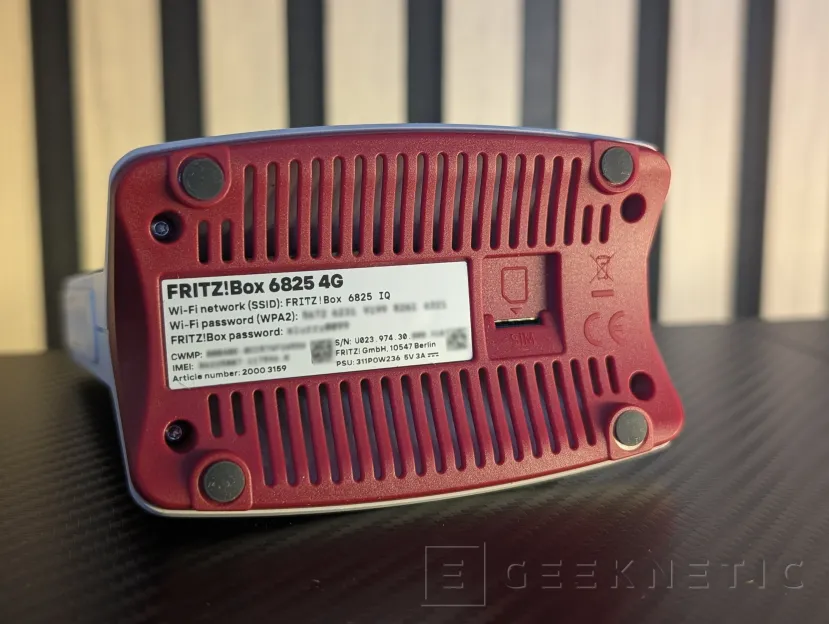
The SIM card slot, specifically in nano SIM format, is located at the bottom.
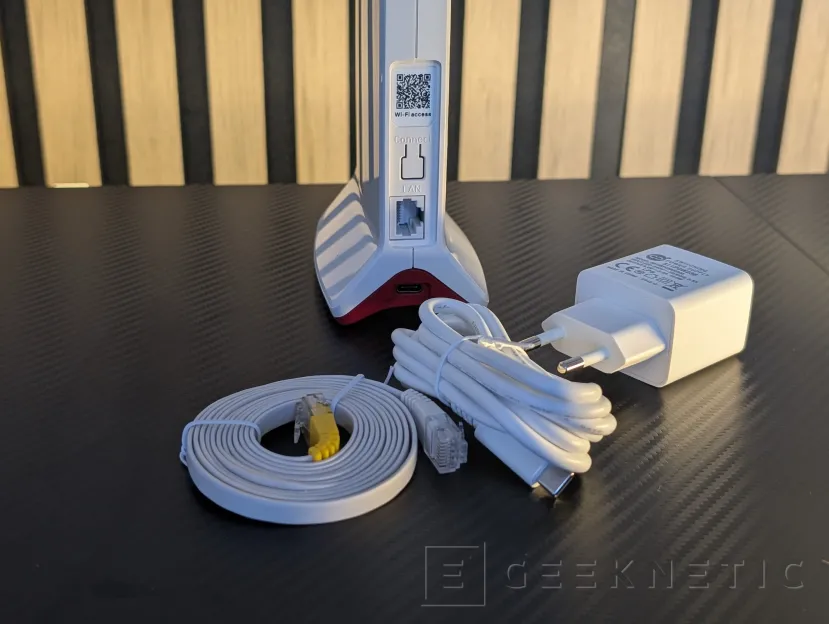
The router is powered by USB-C, requiring 15W of power (3 amps at the typical standard 5 volts). To do this, a USB-C power adapter of that power is included, in addition to the USB-C to USB-C cable itself and a flat Ethernet cable.
These contained power needs mean that the router can be powered from power banks of a certain capacity. However, the incorporation of an internal battery would have been appreciated to give it more versatility.
Configuration and functions of the FRITZ!Box 6825 4G
The FRITZ!OS operating system, on which this and practically most of the company’s routers and network devices are based, is characterized by a simple interface and a system of step-by-step wizards that make it easy for anyone to configure the device.
When starting this FRITZ!Box 6825 4G, we will have to connect via WiFi or RJ45 and enter the dedicated website of the “fritz.box” interface. If we connect it directly to our local network, we may have problems logging in this way, so we will have to use the default local IPs of 192.168.178.1 or 169.254.1.1 to start the web interface. The entire interface is available in Spanish.
Once this is done, we will only be asked for the administration password that appears at the bottom of the router to begin.
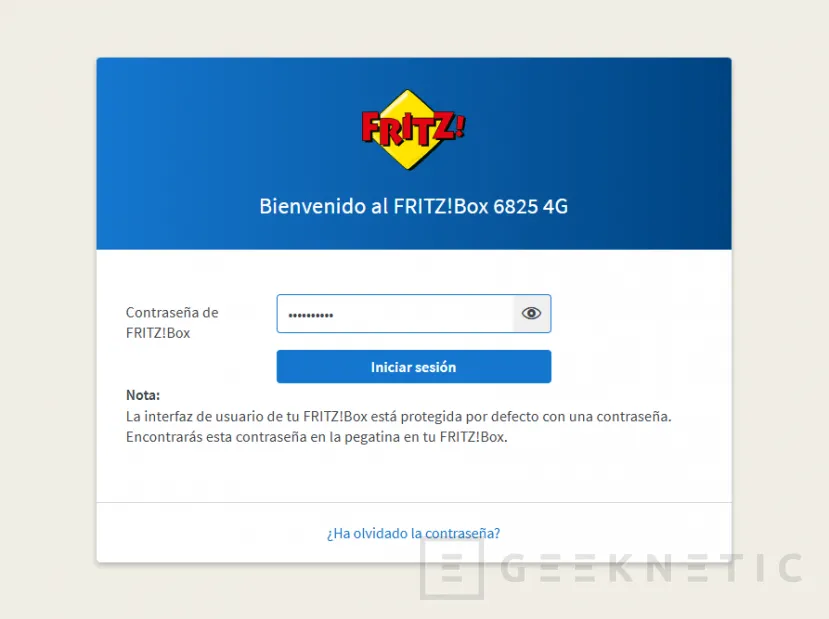
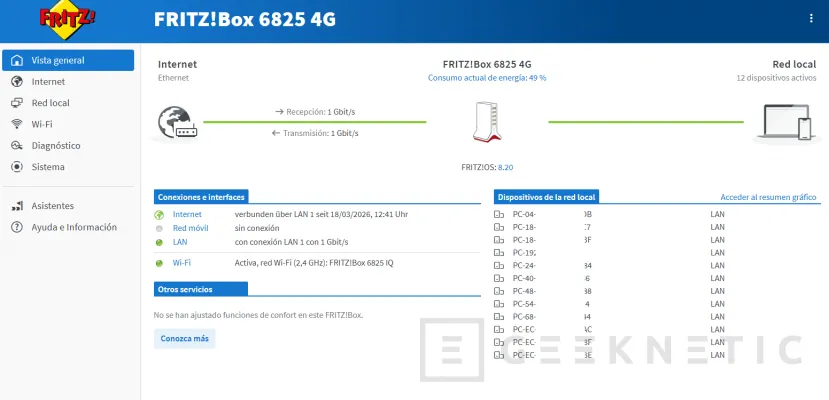
The FRITZ!OS interface is quite recognizable, with a blue color scheme where the brand’s yellow and red logo draws attention. Beyond this, it is divided into well-differentiated menus from which everything can be managed and configured.
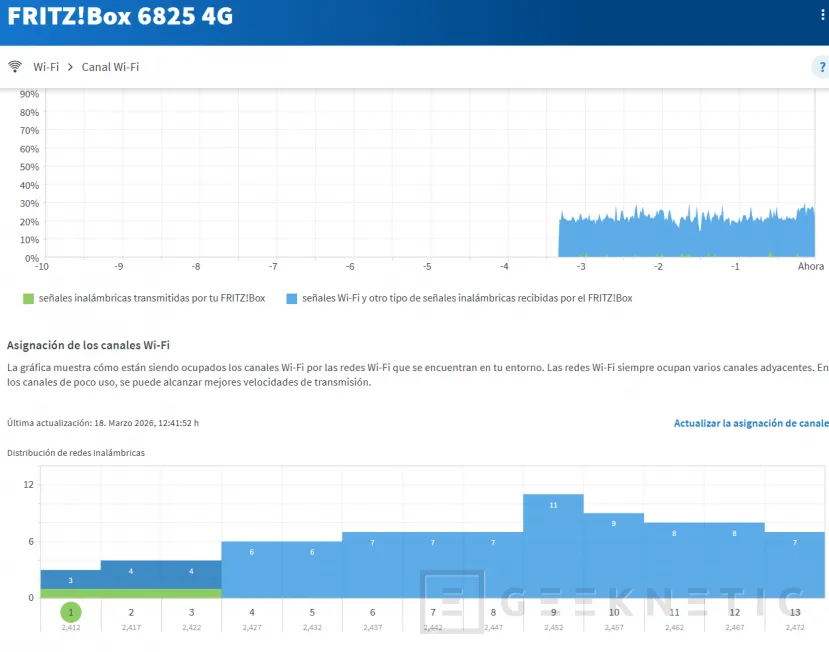
Many of these sections show diagrams or visual representations of elements such as connection, network saturation, etc., making their interpretation very simple.
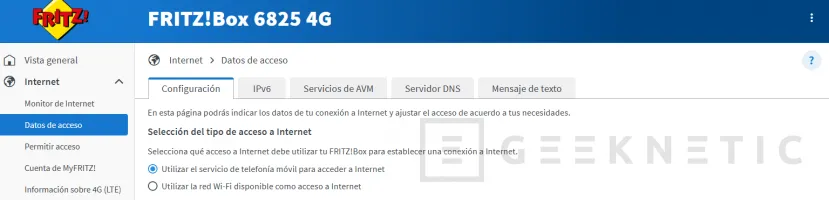
We have the option of choosing the priority of our Internet access, whether to use the 4G modem or the WiFi/LAN network to which it is connected, DNS, access to SIM SMS, compatibility with IPv6, etc.
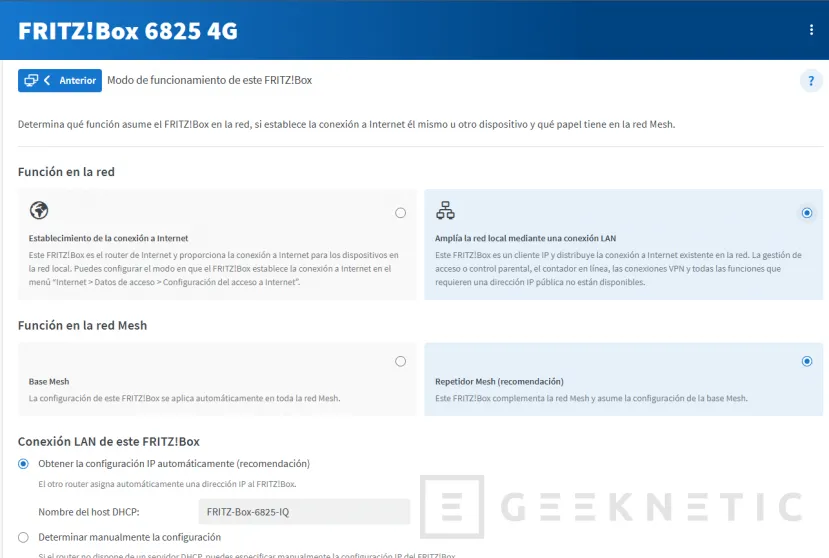
Naturally, you can configure the mode of operation of the router itself, if we want it to be the router that manages the entire network or if, on the contrary, we want it to function as an access point that expands the network itself. In the latter case, the routing, NAT and other functions will depend on the main router. If the main router is 6835, then we can configure all of this from the interface itself, as in any other router.
In addition, as it is compatible with a Mesh network, we can make it work as a repeater or node in an existing Mesh network, or function as a main base from which other Mesh devices function as nodes.
Many of the functions it offers can be ignored if we simply want a fast 4G WiFi network; is to connect and we will not even have to enter the previous configuration other than to enter the SIM PIN, if it has one, and any name or password change. But we will always have the option to touch practically all the parameters from this interface.
Performance
The maximum link speed with WiFi 6 at 2.4 GHz that we have achieved has been 286Mbps, both with smartphones like the Google Pixel 9 Pro, and with laptops with the latest generation WiFi 7 network cards. That leaves us with stable file transfer speeds of about 21-22 MB/s over the network.
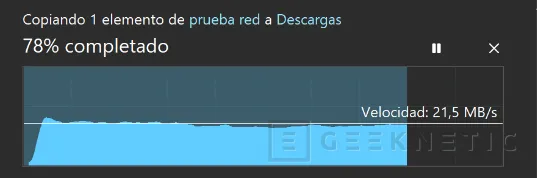
It is a fairly modest speed if compared to 2- or even 3-band WiFi 6 or WiFi 7 systems, but for a travel network it will allow us to browse the Internet without problems.
Via 4Gthe maximum download speeds we have achieved have been 13-14Mbps, in an environment with medium coverage. With the same coverage, a 5G mobile reaches 170 Mbps, although limited to 4G the figures are similar to those achieved by the router. Therefore, staying on 4G considerably limits the network speeds we can obtain, which can be a problem in intensive tasks such as videoconferencing.
Analysis and Conclusion
Since we see its external design, the FRITZ!Box 6825 4G makes it clear that it is a router that takes the essence of the FRITZ! models. Beyond the aesthetic issue, it is a device that integrates perfectly into the brand’s ecosystem, with a very simple user interface, with a multitude of options for somewhat more advanced users, but that can be very easy and simple for those who just want to plug in and have a WiFi network with 4G anywhere.
Slot for SIM cards (nano SIM), a WAN Ethernet port to connect to the ONT or function as an access point, and a simple connection system is what this compact and lightweight modem offers to take with us anywhere.
Among its shortcomings, we have highlighted Support for the 5 GHz band is missing. This model remains anchored at 2.4 GHz with a maximum link speed of 600 Mbps, which is quite short by current standards, especially if we take into account that most devices will connect to 286Mbps. It is true that it is suitable for use as a travel router, although We would have also liked to be able to have an integrated battery. In any case, its low consumption and USB-C power always gives us the option of powering it with a power bank. The only requirement is that it offer a power of 15 W (3 amps at 5 volts standard).
At the level of mobile network connectivity, we also see each other limited by 4G and its maximum 300 Mbps. Again, it is a sufficient speed for sporadic use, but it limits it for more serious uses where 5G would be a good addition. In any case, the absence of 5G is understood taking into account the price range in which this router operates.
The inclusion of only one 1 Gbps Ethernet port is not something that will penalize the user experience; After all, it is a portable router not intended for large wired networks, and taking into account the speed limitations of 2.4 GHz WiFi or 5G, it would not make much sense to integrate 2.5 GbE ports or higher.
Although its price of 129 euros places it as a affordable model within the extensive FRITZ! catalogue, which has more complete solutions with 5G and 5 GHz support such as the FRITZ!Box 6860 5G, which costs up to 482 euros, or the new FRITZ!Box 6865 5G, whose price is still unknown; If we are looking for 4G routers with similar, or even higher, “base” specifications (support for 5 GHz or more Ethernet ports), the FRITZ!Box 6825 4G generally has a higher price. However, we must not forget that this model has some features that stand out among the competition, such as integrated support for Mesh or the company’s own ecosystem, very polished and easy to use.
